Digital museum in Tokyo Joomla Template


The Editorial Excerpt Forms a Structured Museum Content Region
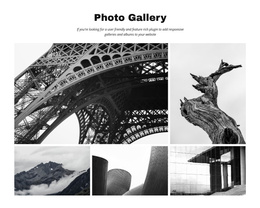
The headline, image collage, and explanatory paragraph divide the section into recognizable information groups. The headline introduces the digital-only museum story and the ultra-technologists group behind it. Five digital-art images provide visual context above the text, while the paragraph supplies the editorial account, including references to teamLab and Mori Building in Tokyo. The final “continue reading” link gives the excerpt a defined onward path without changing the block into a complete article page.
Within a Joomla-managed project, this arrangement can function as a stable editorial content region for an art-and-technology page. The section can present a feature introduction while the broader site handles other articles, pages, navigation, and publishing responsibilities. Its content is specific enough to remain recognizable when reused, yet bounded enough to sit alongside additional editorial or exhibition-related sections. The lower text area also separates reading content from the more image-heavy opening, which helps maintain a clear visual and informational order.
The block’s static interaction is useful in this context: the five-image collage supports the story without requiring a carousel or other behavior, and the continuation link preserves a simple route to more information. Joomla-oriented use therefore centers on maintaining this structured editorial region and its relationships, rather than treating the section itself as a complete CMS template.
Customize with Nicepage
Open this ready-made template in the Joomla Page Builder and customize it visually in the Nicepage editor. Replace demo content, edit page sections, and adapt the design to your project without rebuilding the template from scratch.
Edit Template Offline
2. Create a new page or select existing
3. Click Add new block, search for id 44068 and click enter
Edit Template Online
Create Awesome Websites


Free Nicepage Builder
Keywords
Work With This Template in Joomla
Customize and Install the Joomla Template
Start with this ready-made template instead of building the Joomla design from scratch. Customize its layout, content, typography, images, sections, and other design elements visually in the Nicepage application, then export and install the Joomla Template, Nicepage Extension, and supported content on your Joomla website.
Edit the Template Directly in Joomla
After installation, you can edit the Joomla Template directly in Joomla with the Nicepage Joomla Extension. Customize the Header, Footer, Colors, Fonts, typography, and Page Templates from the Joomla workflow while keeping the site design connected with your CMS content.
Edit Joomla Articles Visually
Use the Nicepage Joomla Extension to open and edit Joomla Articles visually from the Joomla Administrator. Change text, images, sections, layouts, and other page content in the Nicepage editor while continuing to manage the Articles through Joomla.
Joomla Content and Template Integration
Use the customized template together with Joomla Articles, module Positions, menus, forms, Blog Pages, and other supported CMS elements. With the Nicepage Extension used as the Site Style Source, shared design settings can be applied across Joomla Articles while Joomla continues to provide the CMS environment for managing site content.
This workflow combines a ready-made Joomla Template with visual customization, direct template editing in Joomla, and continued content management through the Nicepage Joomla Extension.