History of red oval Joomla Template


Historical Content Forms a Structured Joomla Page Region
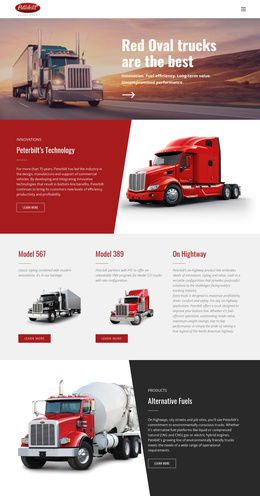
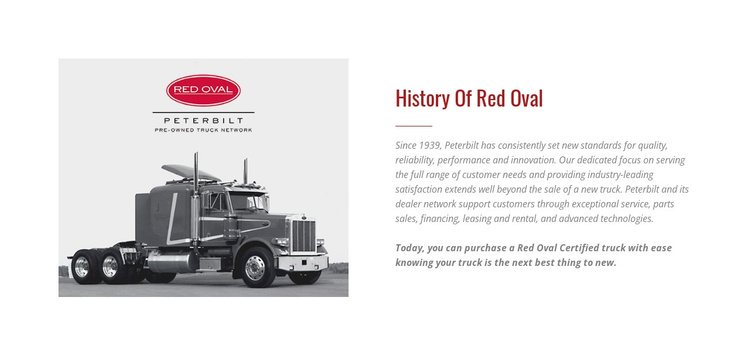
The heading “History Of Red Oval” gives this section a clear informational identity, while the truck photograph supplies immediate visual context. In a Joomla-managed page, that combination can function as a structured company-background region: the image introduces the subject, the historical paragraph provides context, and the emphasized certification statement gives the section a distinct closing point. The horizontal divider helps separate the explanatory material from that stronger message without introducing another content area.
The wording connects Peterbilt with standards established since 1939 and identifies several forms of support, including service, parts sales, financing, leasing, and rental. It also describes Red Oval Certified trucks as the next best thing to new. Those content units can be maintained as a coherent informational section while the surrounding Joomla project handles other page regions and editorial material. The block remains a focused content area rather than a complete Joomla template.
The two vertically centered columns make the section easy to recognize within a longer CMS-managed page. Its white background and dark red accents can distinguish history content from neighboring services, inventory, or contact sections, while the small italic gray text keeps the paragraph visually subordinate to the heading. Nicepage’s Joomla workflow can provide the broader CMS context for pages and content through the Nicepage Joomla workflow, but the visual role here remains the specific history section shown by the block.
Customize with Nicepage
Open this ready-made template in the Joomla Page Builder and customize it visually in the Nicepage editor. Replace demo content, edit page sections, and adapt the design to your project without rebuilding the template from scratch.
Edit Template Offline
2. Create a new page or select existing
3. Click Add new block, search for id 43636 and click enter
Edit Template Online
Create Awesome Websites


Free Nicepage Builder
Keywords
Work With This Template in Joomla
Customize and Install the Joomla Template
Start with this ready-made template instead of building the Joomla design from scratch. Customize its layout, content, typography, images, sections, and other design elements visually in the Nicepage application, then export and install the Joomla Template, Nicepage Extension, and supported content on your Joomla website.
Edit the Template Directly in Joomla
After installation, you can edit the Joomla Template directly in Joomla with the Nicepage Joomla Extension. Customize the Header, Footer, Colors, Fonts, typography, and Page Templates from the Joomla workflow while keeping the site design connected with your CMS content.
Edit Joomla Articles Visually
Use the Nicepage Joomla Extension to open and edit Joomla Articles visually from the Joomla Administrator. Change text, images, sections, layouts, and other page content in the Nicepage editor while continuing to manage the Articles through Joomla.
Joomla Content and Template Integration
Use the customized template together with Joomla Articles, module Positions, menus, forms, Blog Pages, and other supported CMS elements. With the Nicepage Extension used as the Site Style Source, shared design settings can be applied across Joomla Articles while Joomla continues to provide the CMS environment for managing site content.
This workflow combines a ready-made Joomla Template with visual customization, direct template editing in Joomla, and continued content management through the Nicepage Joomla Extension.