Contact with branding agency Joomla Template


Structured Inquiry Content for a Joomla-Managed Page Region
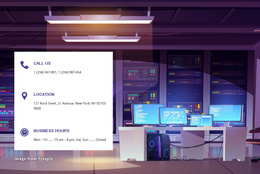
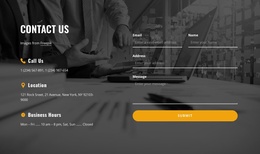
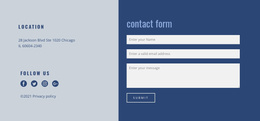
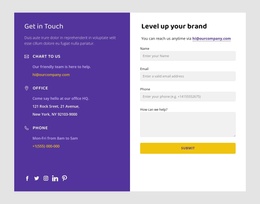
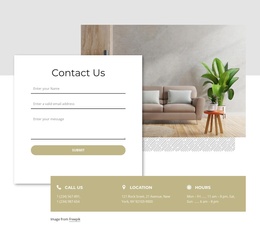
The form fields create a compact structured information area for collecting a visitor’s name, email, and message, while the Submit action marks the section’s direct inquiry point. The office photograph supports that purpose visually, and the three lower panels add alternative contact information through the labels Call Us, Location, and Hours. Together, these groups make the block suitable for a stable contact region rather than a loose collection of decorative elements.
In a Joomla-oriented project, this section can participate in a CMS-managed page while retaining its own visual and content logic. The form can remain the primary interaction area, and the dark contact bar can preserve the relationship between phone, location, and opening-hours information. The surrounding Joomla site can manage broader navigation and editorial content, while this reusable section continues to present the contact function consistently. Nicepage’s Joomla workflow provides a documented context for connecting visual design with Joomla content, but the block itself remains one page section rather than a complete Joomla Template or site. Its three labeled information panels also give the CMS-managed page a stable, structured contact region that can sit beside other editorial content.
Customize with Nicepage
Open this ready-made template in the Joomla Page Builder and customize it visually in the Nicepage editor. Replace demo content, edit page sections, and adapt the design to your project without rebuilding the template from scratch.
Edit Template Offline
2. Create a new page or select existing
3. Click Add new block, search for id 409009 and click enter
Edit Template Online
Create Awesome Websites


Free Nicepage Builder
Keywords
Work With This Template in Joomla
Customize and Install the Joomla Template
Start with this ready-made template instead of building the Joomla design from scratch. Customize its layout, content, typography, images, sections, and other design elements visually in the Nicepage application, then export and install the Joomla Template, Nicepage Extension, and supported content on your Joomla website.
Edit the Template Directly in Joomla
After installation, you can edit the Joomla Template directly in Joomla with the Nicepage Joomla Extension. Customize the Header, Footer, Colors, Fonts, typography, and Page Templates from the Joomla workflow while keeping the site design connected with your CMS content.
Edit Joomla Articles Visually
Use the Nicepage Joomla Extension to open and edit Joomla Articles visually from the Joomla Administrator. Change text, images, sections, layouts, and other page content in the Nicepage editor while continuing to manage the Articles through Joomla.
Joomla Content and Template Integration
Use the customized template together with Joomla Articles, module Positions, menus, forms, Blog Pages, and other supported CMS elements. With the Nicepage Extension used as the Site Style Source, shared design settings can be applied across Joomla Articles while Joomla continues to provide the CMS environment for managing site content.
This workflow combines a ready-made Joomla Template with visual customization, direct template editing in Joomla, and continued content management through the Nicepage Joomla Extension.