Set goals, go to victory Joomla Template


Edit Template Offline
2. Create new page and search for id 307157
Edit Template Online
Create Awesome Websites


Free Nicepage Builder
Keywords
Branding and Development Regions Around a Structured Services Page
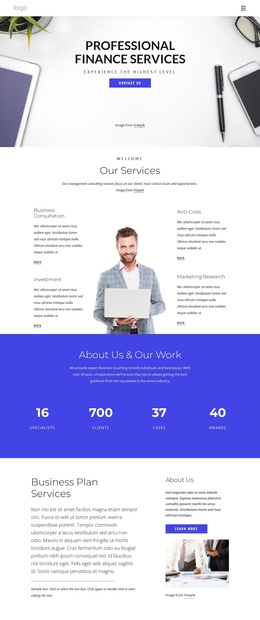
The service content is divided into recognizable regions that can be understood independently: the first feature block introduces marketing, strategy, and planning, while the later split composition gives Branding and Development their own labeled areas around a central portrait. This separation is useful for a CMS-managed presentation because the design does not treat the page as one uninterrupted text panel. Navigation at the top and the shared footer note provide consistent boundaries for the content in between.
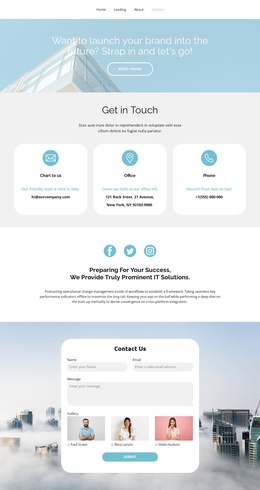
The five-image gallery forms another distinct region, with a single row of photographic tiles that can support visual project or brand material. Farther down, the Our Team section and two testimonial entries add people-centered content, while the four metric blocks create a compact summary area. These different content roles give the page a practical relationship between structured information, imagery, social proof, and the final contact form. The form is positioned near the end, after visitors have encountered the principal service and supporting sections.
For a Joomla project, the design therefore offers coordinated regions for services, visual content, team information, testimonials, metrics, and inquiries. The value is not an assumed Joomla-specific component already inside the template; it is the way the verified sections divide information into manageable site content while preserving a common header, visual direction, and closing area.
Customize with Nicepage
Open this ready-made template in the Joomla Page Builder and customize it visually in the Nicepage editor. Replace demo content, edit page sections, and adapt the design to your project without rebuilding the template from scratch.
Work With This Template in Joomla
Customize and Install the Joomla Template
Start with this ready-made template instead of building the Joomla design from scratch. Customize its layout, content, typography, images, sections, and other design elements visually in the Nicepage application, then export and install the Joomla Template, Nicepage Extension, and supported content on your Joomla website.
Edit the Template Directly in Joomla
After installation, you can edit the Joomla Template directly in Joomla with the Nicepage Joomla Extension. Customize the Header, Footer, Colors, Fonts, typography, and Page Templates from the Joomla workflow while keeping the site design connected with your CMS content.
Edit Joomla Articles Visually
Use the Nicepage Joomla Extension to open and edit Joomla Articles visually from the Joomla Administrator. Change text, images, sections, layouts, and other page content in the Nicepage editor while continuing to manage the Articles through Joomla.
Joomla Content and Template Integration
Use the customized template together with Joomla Articles, module Positions, menus, forms, Blog Pages, and other supported CMS elements. With the Nicepage Extension used as the Site Style Source, shared design settings can be applied across Joomla Articles while Joomla continues to provide the CMS environment for managing site content.
This workflow combines a ready-made Joomla Template with visual customization, direct template editing in Joomla, and continued content management through the Nicepage Joomla Extension.