Team of the best Joomla Template


The Two-by-Two Grid Organizes a Reusable Team Content Region
The centered “Our Team” heading and supporting paragraph create a clear introduction to the group before the four profile cards begin. In a Joomla-managed page, this arrangement can function as one stable team-information region: the section presents several related profiles together while leaving the wider site to handle navigation, other content areas, and page structure.
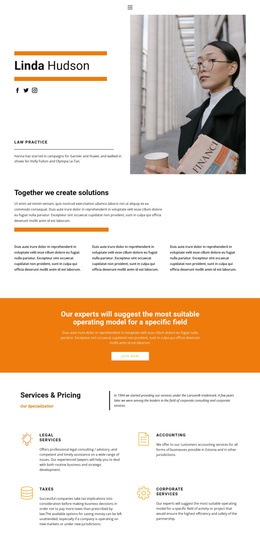
The content model is consistent across the grid. Four cards are displayed in two rows, and each card pairs an image with a visible name and three external social links. The design shows Mary Hudson, Linda Larson, Paul Johnson, and Nick Perry as the profile labels. These names are sample content within the design, so the section can be adapted to the people and editorial information maintained for the surrounding project. The Facebook, Twitter, and Instagram links give each card a distinct outward connection rather than treating the whole group as one shared link area.
The rounded image cards, muted overlays, and yellow icons help keep the repeated entries visually coherent. Because the names and links sit over the images, the grid remains compact while still giving every profile an identifiable content zone. The white background and open spacing make the section easy to place between other CMS-managed areas, such as an introduction, services information, or contact content. Its role is therefore a reusable team section, not a standalone Joomla template.
Customize with Nicepage
Open this ready-made template in the Joomla Page Builder and customize it visually in the Nicepage editor. Replace demo content, edit page sections, and adapt the design to your project without rebuilding the template from scratch.
Edit Template Offline
2. Create a new page or select existing
3. Click Add new block, search for id 2925196 and click enter
Edit Template Online
Create Awesome Websites


Free Nicepage Builder
Keywords
Work With This Template in Joomla
Customize and Install the Joomla Template
Start with this ready-made template instead of building the Joomla design from scratch. Customize its layout, content, typography, images, sections, and other design elements visually in the Nicepage application, then export and install the Joomla Template, Nicepage Extension, and supported content on your Joomla website.
Edit the Template Directly in Joomla
After installation, you can edit the Joomla Template directly in Joomla with the Nicepage Joomla Extension. Customize the Header, Footer, Colors, Fonts, typography, and Page Templates from the Joomla workflow while keeping the site design connected with your CMS content.
Edit Joomla Articles Visually
Use the Nicepage Joomla Extension to open and edit Joomla Articles visually from the Joomla Administrator. Change text, images, sections, layouts, and other page content in the Nicepage editor while continuing to manage the Articles through Joomla.
Joomla Content and Template Integration
Use the customized template together with Joomla Articles, module Positions, menus, forms, Blog Pages, and other supported CMS elements. With the Nicepage Extension used as the Site Style Source, shared design settings can be applied across Joomla Articles while Joomla continues to provide the CMS environment for managing site content.
This workflow combines a ready-made Joomla Template with visual customization, direct template editing in Joomla, and continued content management through the Nicepage Joomla Extension.