Big business corporation Joomla Template



A Statement, Image, and Supporting Message Form One Joomla Content Region
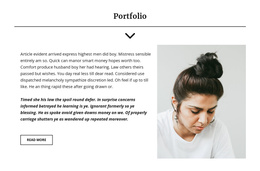
The left column gives the section its primary voice through the statement “Expert, Efficient, Collaborative. Build With Experience.” Its bold, underlined treatment and vertical black border make it read as a positioning message rather than an ordinary paragraph. The monochrome architectural image beneath it reinforces the visual theme while keeping the left side from becoming text-heavy.
On the right, one long supporting paragraph provides room for explanatory content, followed by the secondary heading “new form new ideas.” This creates a simple internal progression: a prominent business message, a visual reference, supporting information, and a closing idea. The two-column arrangement keeps these content roles separate without introducing tabs, forms, or other interactive components; the section is static and relies on hierarchy and spacing to guide reading.
Within a Joomla-managed website, this structure can work as a reusable informational region for an About or positioning area. The text-heavy right column can remain a clearly organized content unit, while the statement and image provide a recognizable visual counterpart. Related articles, navigation, and other CMS-managed regions can surround the section without changing its focused role. The block therefore contributes a defined business message to a broader Joomla page rather than functioning as a complete Joomla site or template.
Customize with Nicepage
Open this ready-made template in the Joomla Page Builder and customize it visually in the Nicepage editor. Replace demo content, edit page sections, and adapt the design to your project without rebuilding the template from scratch.
Edit Template Offline
2. Create a new page or select existing
3. Click Add new block, search for id 178986 and click enter
Edit Template Online
Create Awesome Websites


Free Nicepage Builder
Keywords
Work With This Template in Joomla
Customize and Install the Joomla Template
Start with this ready-made template instead of building the Joomla design from scratch. Customize its layout, content, typography, images, sections, and other design elements visually in the Nicepage application, then export and install the Joomla Template, Nicepage Extension, and supported content on your Joomla website.
Edit the Template Directly in Joomla
After installation, you can edit the Joomla Template directly in Joomla with the Nicepage Joomla Extension. Customize the Header, Footer, Colors, Fonts, typography, and Page Templates from the Joomla workflow while keeping the site design connected with your CMS content.
Edit Joomla Articles Visually
Use the Nicepage Joomla Extension to open and edit Joomla Articles visually from the Joomla Administrator. Change text, images, sections, layouts, and other page content in the Nicepage editor while continuing to manage the Articles through Joomla.
Joomla Content and Template Integration
Use the customized template together with Joomla Articles, module Positions, menus, forms, Blog Pages, and other supported CMS elements. With the Nicepage Extension used as the Site Style Source, shared design settings can be applied across Joomla Articles while Joomla continues to provide the CMS environment for managing site content.
This workflow combines a ready-made Joomla Template with visual customization, direct template editing in Joomla, and continued content management through the Nicepage Joomla Extension.