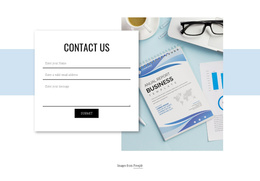
Contacts of our specialist Joomla Template



Contact Details Organize Two Structured Strategy Areas
The upper portion of the block gives the contact information a distinct visual position: a circular portrait is centered above the phone number and address. That arrangement provides an identifiable contact context before visitors reach the two service panels below. The panels then organize the section into Brand strategy and Communication strategy, with four listed items in each. The repeated structure makes the offerings easy to compare, while the individual entries give each category enough detail to stand apart. The content includes strategy-oriented areas such as audience analysis, competitive review, visual positioning, and brand application.
Within a Joomla-managed page, this block can function as a stable structured information region for service content and contact context. The wider site can manage its other pages and editorial areas separately, while this section retains the visual grouping that makes the two offerings understandable. The light gray background on the Communication strategy panel creates a clear distinction between the adjacent content areas without introducing a different component or interaction. Because the block is static, its value comes from the relationship between the centered contact introduction, the paired service categories, and their repeated four-item lists. That organization gives a Joomla project a reusable section for presenting related strategy information in a consistent page layout.
Customize with Nicepage
Open this ready-made template in the Joomla Page Builder and customize it visually in the Nicepage editor. Replace demo content, edit page sections, and adapt the design to your project without rebuilding the template from scratch.
Edit Template Offline
2. Create a new page or select existing
3. Click Add new block, search for id 1729434 and click enter
Edit Template Online
Create Awesome Websites


Free Nicepage Builder
Keywords
Work With This Template in Joomla
Customize and Install the Joomla Template
Start with this ready-made template instead of building the Joomla design from scratch. Customize its layout, content, typography, images, sections, and other design elements visually in the Nicepage application, then export and install the Joomla Template, Nicepage Extension, and supported content on your Joomla website.
Edit the Template Directly in Joomla
After installation, you can edit the Joomla Template directly in Joomla with the Nicepage Joomla Extension. Customize the Header, Footer, Colors, Fonts, typography, and Page Templates from the Joomla workflow while keeping the site design connected with your CMS content.
Edit Joomla Articles Visually
Use the Nicepage Joomla Extension to open and edit Joomla Articles visually from the Joomla Administrator. Change text, images, sections, layouts, and other page content in the Nicepage editor while continuing to manage the Articles through Joomla.
Joomla Content and Template Integration
Use the customized template together with Joomla Articles, module Positions, menus, forms, Blog Pages, and other supported CMS elements. With the Nicepage Extension used as the Site Style Source, shared design settings can be applied across Joomla Articles while Joomla continues to provide the CMS environment for managing site content.
This workflow combines a ready-made Joomla Template with visual customization, direct template editing in Joomla, and continued content management through the Nicepage Joomla Extension.