Ranking university education Joomla Template


Edit Template Offline
2. Create new page and search for id 16526
Edit Template Online
Create Awesome Websites


Free Nicepage Builder
Keywords
University Categories and Resources Divide the CMS Content
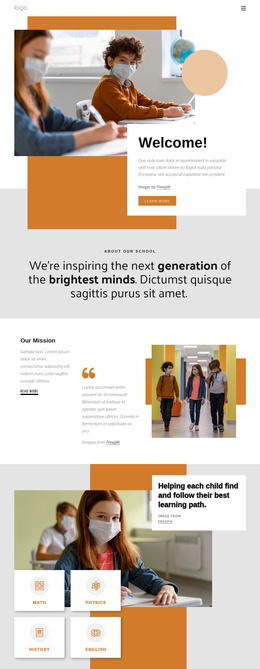
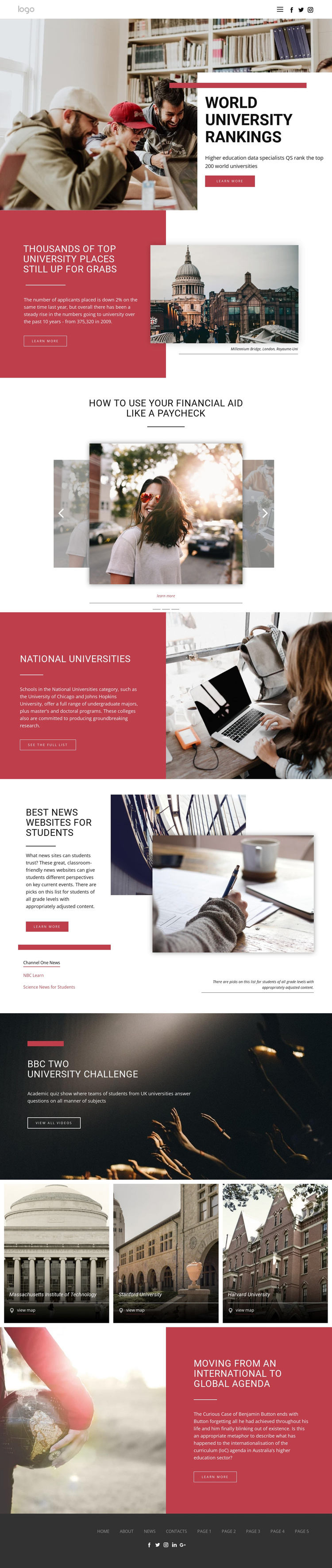
The page separates higher education information into recurring editorial regions that are suitable for structured CMS management. The World University Rankings feature can introduce a principal category, while the admissions panel provides a separate story area with its own image, location caption, and learn-more action. The three related education slides add another repeatable content group for financial aid, continuing education, and mentor stories.
The National Universities section and student news resource area show how category information and external-looking resource links can occupy different site regions without losing a shared visual direction. The three university listings for Massachusetts Institute of Technology, Stanford University, and Harvard University form a further repeated group, each connected to a map action. That arrangement gives navigation and directory content distinct roles within the same page rather than forcing every item into one article stream.
The video feature and international education commentary section complete the broader content picture. In a Joomla project, these verified regions could be organized as CMS-managed information while the header, footer, menus, and visual relationships remain coordinated. This is an interpretation of the design’s content structure, not a claim that Joomla Articles, module positions, or categories already exist in the template. The page’s value lies in the way its rankings, resources, listings, and media can be divided into recognizable editorial areas.
Customize with Nicepage
Open this ready-made template in the Joomla Page Builder and customize it visually in the Nicepage editor. Replace demo content, edit page sections, and adapt the design to your project without rebuilding the template from scratch.
Work With This Template in Joomla
Customize and Install the Joomla Template
Start with this ready-made template instead of building the Joomla design from scratch. Customize its layout, content, typography, images, sections, and other design elements visually in the Nicepage application, then export and install the Joomla Template, Nicepage Extension, and supported content on your Joomla website.
Edit the Template Directly in Joomla
After installation, you can edit the Joomla Template directly in Joomla with the Nicepage Joomla Extension. Customize the Header, Footer, Colors, Fonts, typography, and Page Templates from the Joomla workflow while keeping the site design connected with your CMS content.
Edit Joomla Articles Visually
Use the Nicepage Joomla Extension to open and edit Joomla Articles visually from the Joomla Administrator. Change text, images, sections, layouts, and other page content in the Nicepage editor while continuing to manage the Articles through Joomla.
Joomla Content and Template Integration
Use the customized template together with Joomla Articles, module Positions, menus, forms, Blog Pages, and other supported CMS elements. With the Nicepage Extension used as the Site Style Source, shared design settings can be applied across Joomla Articles while Joomla continues to provide the CMS environment for managing site content.
This workflow combines a ready-made Joomla Template with visual customization, direct template editing in Joomla, and continued content management through the Nicepage Joomla Extension.