Steel Structures and Sandwich Panels HTML Template


A Three-Image Hero Section Ready for Static HTML Use
The heading, supporting paragraph, and Learn more button establish a complete introductory message within one section. The text identifies the subject and provides context, while the CTA offers a route toward additional information supplied elsewhere in the containing page. A static HTML page can therefore use this block as a focused opening section without reconstructing the basic relationship between message and action.
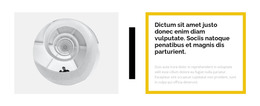
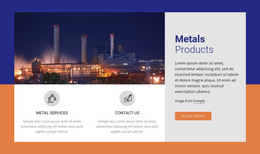
The visual arrangement extends beyond a single supporting image. One large portrait photograph occupies the right side, while two smaller architectural photographs sit beneath the text area, forming a three-image composition connected to steel structures and sandwich panels. The white content area is framed by a bright yellow background band and a white geometric shape. The bold condensed heading and italic paragraph create a visible information hierarchy, and the image credit line remains part of the section’s content.
Inside a static HTML project, this block can carry the introduction while surrounding sections provide navigation, deeper construction information, or contact content. Its subject heading, supporting copy, CTA, varied image scale, and strong color contrast give the section a defined role without making it a complete page or site. The containing HTML page supplies the broader structure, while this reusable block preserves its own introductory purpose and visual relationships.
Customize with Nicepage
Open this ready-made template in the HTML Builder and customize it visually in the Nicepage editor. Replace demo content, edit page sections, and adapt the design to your project without rebuilding the template from scratch.
Edit Template Offline
2. Create a new page or select existing
3. Click Add new block, search for id 79573 and click enter
Edit Template Online
Create Awesome Websites


Free Nicepage Builder
Keywords
Use This Block in a Static HTML Page
Start With a Ready-Made Section
A block provides one prepared content area that can be combined with other sections to build a static HTML page. Customize its text, images, spacing, colors, and other elements in the Nicepage editor while keeping the block focused on its own purpose, such as services, testimonials, pricing, contact information, or visual presentation.
Export the Containing HTML Project
When the page or website that contains the block is ready, use HTML Export to create the files required for a static HTML project. The export applies to the containing page/site rather than turning one individual block into a complete website by itself.
Reuse the Section Within the Project
The same block design can be adapted as one content section within a larger static site. Other Blocks can provide navigation, introductions, portfolios, forms, footers, and additional page content while this section keeps its own verified content and layout role.
This workflow makes the block useful as a ready-made section inside a static HTML implementation, with export and deployment handled at the page or website level.