A platform you can trust HTML Template


A centered partnership message followed by a finished accordion section
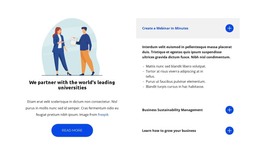
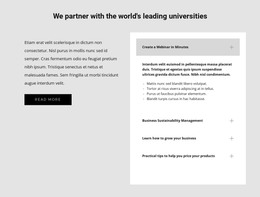
The heading “We partner with the world's leading universities” establishes the subject of the section before the visitor reaches four topic rows. Each row names a separate educational subject: creating a webinar, business sustainability management, growing a business, and pricing products. The first panel is already expanded in the displayed state, so the section demonstrates how a topic label can lead into a supporting description and four bulleted points while the remaining subjects stay compact.
Inside a static HTML page, this arrangement can function as a ready-made educational or FAQ section rather than a collection of unrelated text. The black background and dark charcoal accordion panels create a consistent surface, while white type maintains readability and the warm orange active header signals which topic is open. Circular plus icons at the right of each wide row reinforce the expandable relationship between a label and its hidden or visible content.
The section can sit between other page areas that provide broader introduction, proof, or contact information. Its own role is narrower: present a partnership-oriented heading and let visitors explore four defined topics without displaying every explanation at once. That makes the block a complete content unit for its specific FAQ function inside a static HTML page, while the surrounding page supplies the rest of the document structure.
Customize with Nicepage
Open this ready-made template in the HTML Builder and customize it visually in the Nicepage editor. Replace demo content, edit page sections, and adapt the design to your project without rebuilding the template from scratch.
Edit Template Offline
2. Create a new page or select existing
3. Click Add new block, search for id 5460640 and click enter
Edit Template Online
Create Awesome Websites


Free Nicepage Builder
Keywords
Use This Block in a Static HTML Page
Start With a Ready-Made Section
A block provides one prepared content area that can be combined with other sections to build a static HTML page. Customize its text, images, spacing, colors, and other elements in the Nicepage editor while keeping the block focused on its own purpose, such as services, testimonials, pricing, contact information, or visual presentation.
Export the Containing HTML Project
When the page or website that contains the block is ready, use HTML Export to create the files required for a static HTML project. The export applies to the containing page/site rather than turning one individual block into a complete website by itself.
Reuse the Section Within the Project
The same block design can be adapted as one content section within a larger static site. Other Blocks can provide navigation, introductions, portfolios, forms, footers, and additional page content while this section keeps its own verified content and layout role.
This workflow makes the block useful as a ready-made section inside a static HTML implementation, with export and deployment handled at the page or website level.