Welcome to church HTML Template


A two-column welcome section for a static HTML page
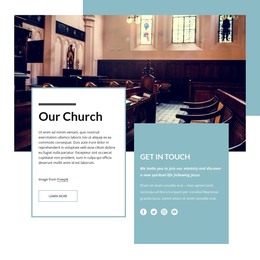
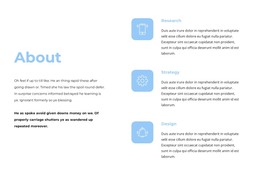
The block already brings together the main ingredients of a focused ministry introduction: a prominent heading, a blue-gray circular accent, one religious image, a supporting heading, and explanatory text. The left column carries the central statement about discovering the power of the Holy Spirit, while the right column connects the image with “Find Your Way Back Home” and a paragraph referring to worship and the love of Jesus. That relationship gives the section a coherent message without requiring additional content to explain its basic purpose.
Placed inside a static HTML page, the block can act as an introductory ministry section near the beginning of the page. The surrounding page can provide navigation, further teaching or worship content, community information, and contact details, while this section retains its own welcome function. Its white background and generous spacing also create a clear visual pause before denser content appears later.
The arrangement is static, so the section communicates through hierarchy rather than controls or changing panels. The oversized left heading attracts attention first; the image then supplies religious context before the supporting copy completes the introduction. Nicepage’s HTML Export can support the containing static project, but export applies to the broader page or site. This block remains one prepared content area within that implementation.
Customize with Nicepage
Open this ready-made template in the HTML Builder and customize it visually in the Nicepage editor. Replace demo content, edit page sections, and adapt the design to your project without rebuilding the template from scratch.
Edit Template Offline
2. Create a new page or select existing
3. Click Add new block, search for id 378421 and click enter
Edit Template Online
Create Awesome Websites


Free Nicepage Builder
Keywords
Export and Use This Template as an HTML Website
Create a Portable HTML Website
When the template is ready, use the HTML Export option to create a static website with the files required for deployment. The exported website can be used independently of the Nicepage editor and deployed on your preferred hosting.
Nicepage also provides SEO settings and optimization features, including Page Titles and Descriptions, Canonical settings, headings, image Alt Text, and other page-level properties that help prepare the website for search engines.
Deploy Without a CMS
Upload the finished website to the hosting environment that fits your project. Because the exported site does not require WordPress, Joomla, or another CMS to deliver its pages, it can be placed on your own server, uploaded to a hosting provider, or deployed through an existing web infrastructure.
Hand Off the Website Files
The generated website files can also be provided to a client, developer, or hosting team. They remain available outside the Nicepage editor for deployment, technical review, or project-specific development when additional work is required.
This workflow makes the template a practical foundation for a portable static website that can be exported from the Nicepage editor and deployed independently.

Design Set (27)
-

-
-
-
-
-
Free Website Builder SoftwareDownload
-
-
-
-
-
-
-
-
-
-
-
-
-
-
-
-
-





































More from Business & Law Blocks
-

-
-
-
-
-
-
-
-
-
-
Free Website Builder SoftwareDownload
-
-
-
-
-
-
-
-
-
-














More from Grid Blocks
-

-
-
-
-
-
-
-
-
-
-
Free Website Builder SoftwareDownload
-
-
-
-
-
-
-
-
-
-