World Cup HTML Template


Edit Template Offline
2. Create new page and search for id 14097
Edit Template Online
Create Awesome Websites


Free Nicepage Builder
Keywords
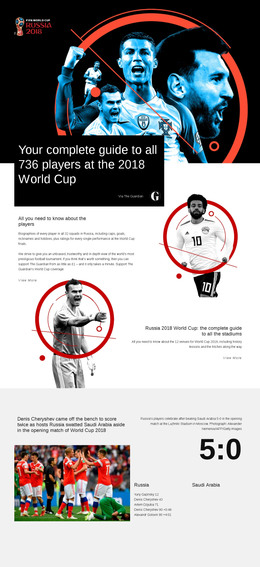
Eight Editorial Sections Form a Self-Contained Football Feature
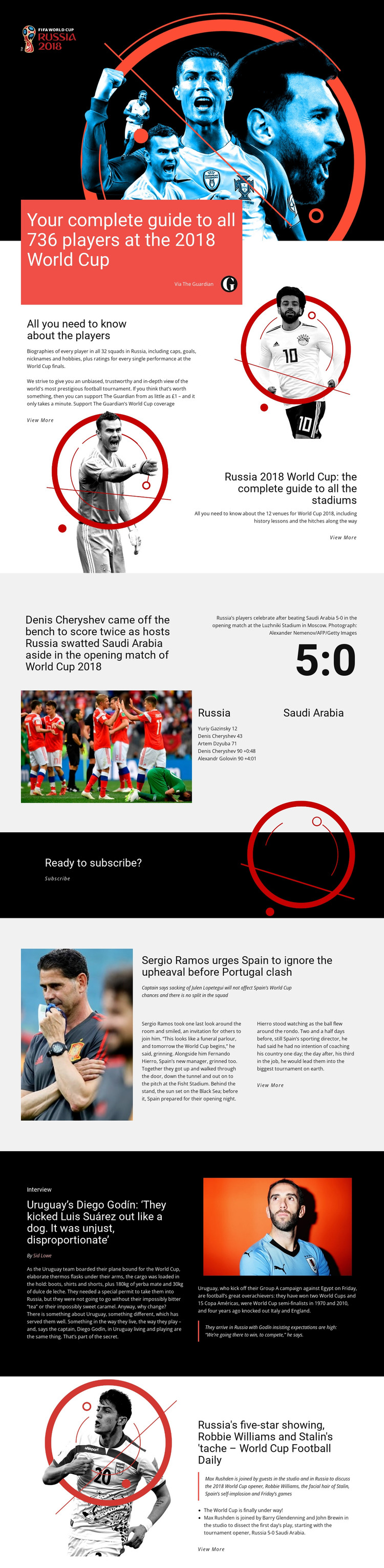
The page’s sections already cover several forms of sports content rather than presenting only a headline and decorative image. The opening guide introduces 736 players across 32 squads, and the following guide shifts attention to 12 World Cup venues. The match-report grid changes the content pattern again by combining a photograph with the Russia–Saudi Arabia 5:0 result, scorer details, and a Luzhniki Stadium caption.
A separate dark subscription block gives the page a defined response area between editorial features. After it, the layout returns to article-led content through Spain and Portugal reporting, a Diego Godín interview with a featured quotation, and a Football Daily section with discussion highlights. View More links connect the compact sections to their intended editorial subjects without requiring every story to be written in full on the page.
That combination makes the design suitable as a finished static HTML arrangement for a sports feature, tournament guide, or media landing page. Its content relationships are already visible: guides establish reference coverage, the match section supplies a concrete news example, interviews add personality, and the audio feature broadens the editorial format. The result is more complete than a visual concept that still needs its core information areas invented.
Customize with Nicepage
Open this ready-made template in the HTML Builder and customize it visually in the Nicepage editor. Replace demo content, edit page sections, and adapt the design to your project without rebuilding the template from scratch.
Export and Use This Template as an HTML Website
Create a Portable HTML Website
When the template is ready, use the HTML Export option to create a static website with the files required for deployment. The exported website can be used independently of the Nicepage editor and deployed on your preferred hosting.
Nicepage also provides SEO settings and optimization features, including Page Titles and Descriptions, Canonical settings, headings, image Alt Text, and other page-level properties that help prepare the website for search engines.
Deploy Without a CMS
Upload the finished website to the hosting environment that fits your project. Because the exported site does not require WordPress, Joomla, or another CMS to deliver its pages, it can be placed on your own server, uploaded to a hosting provider, or deployed through an existing web infrastructure.
Hand Off the Website Files
The generated website files can also be provided to a client, developer, or hosting team. They remain available outside the Nicepage editor for deployment, technical review, or project-specific development when additional work is required.
This workflow makes the template a practical foundation for a portable static website that can be exported from the Nicepage editor and deployed independently.

More from Sports HTML Templates
-
Free Website Builder SoftwareDownload