World Cup 2018 HTML Template


Edit Template Offline
2. Create new page and search for id 25118
Edit Template Online
Create Awesome Websites


Free Nicepage Builder
Keywords
The player guide and match report create a complete static editorial page
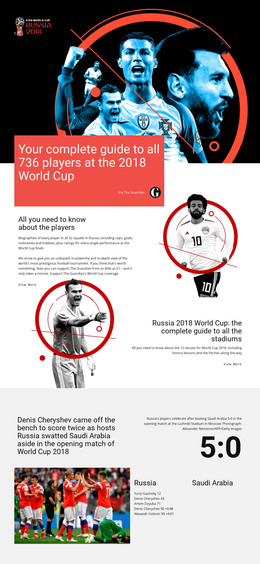
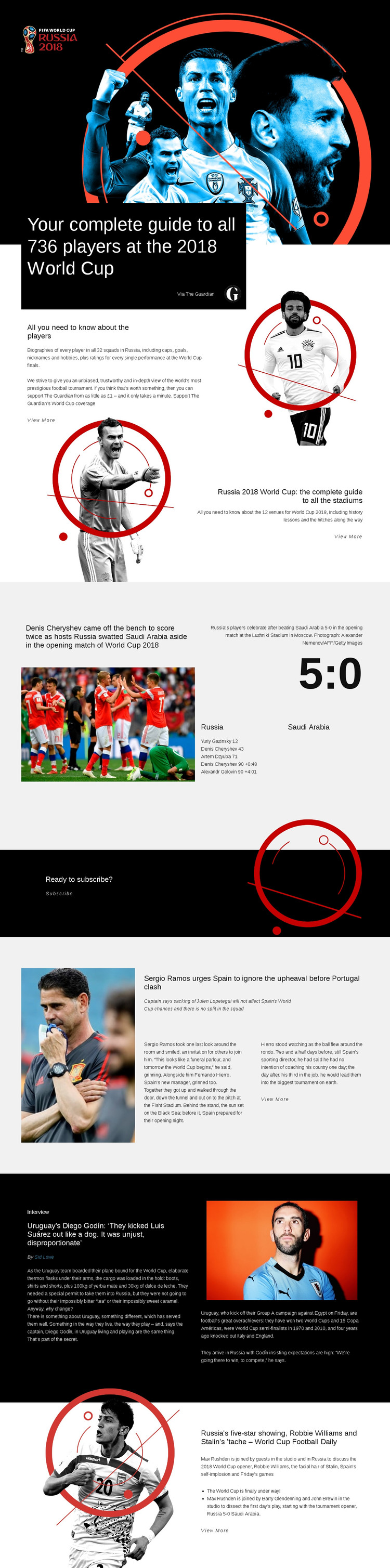
The opening hero gives the page an immediate subject and editorial purpose: a complete guide to all 736 players at the 2018 World Cup. That introduction is supported by a dedicated player section covering biographies, caps, goals, nicknames, hobbies, performance ratings, and a View More link. The following stadium guide broadens the reference material with coverage of 12 venues and their history, so the page already contains more than a single headline and promotional message.
The Russia–Saudi Arabia opening-match report adds a distinct event story to the same finished arrangement. Its action photograph, 5:0 score, goal details, and Luzhniki Stadium caption provide a self-contained content unit that can stand alongside the reference guides. Lower sections continue the editorial coverage through Spain team news, an interview with Uruguay captain Diego Godín, and a World Cup Football Daily discussion feature. These varied blocks give the page the completeness expected from a standalone HTML implementation, with each topic presented through its own combination of text, imagery, and supporting information.
The black “Ready to subscribe?” band adds a clear audience response point without disrupting the article flow. Together with the dark and light section changes, repeated View More links, and image-led storytelling, it makes the design usable as a finished static sports page rather than only a visual concept awaiting its core content structure. The arrangement can therefore serve as a focused HTML website page for World Cup editorial coverage.
Customize with Nicepage
Open this ready-made template in the HTML Builder and customize it visually in the Nicepage editor. Replace demo content, edit page sections, and adapt the design to your project without rebuilding the template from scratch.
Export and Use This Template as an HTML Website
Create a Portable HTML Website
When the template is ready, use the HTML Export option to create a static website with the files required for deployment. The exported website can be used independently of the Nicepage editor and deployed on your preferred hosting.
Nicepage also provides SEO settings and optimization features, including Page Titles and Descriptions, Canonical settings, headings, image Alt Text, and other page-level properties that help prepare the website for search engines.
Deploy Without a CMS
Upload the finished website to the hosting environment that fits your project. Because the exported site does not require WordPress, Joomla, or another CMS to deliver its pages, it can be placed on your own server, uploaded to a hosting provider, or deployed through an existing web infrastructure.
Hand Off the Website Files
The generated website files can also be provided to a client, developer, or hosting team. They remain available outside the Nicepage editor for deployment, technical review, or project-specific development when additional work is required.
This workflow makes the template a practical foundation for a portable static website that can be exported from the Nicepage editor and deployed independently.

More from Sports HTML Templates
-
Free Website Builder SoftwareDownload