Snow Paradise for Skiers Html Code Example


A Mountain Image Creates a Clear Extension Zone
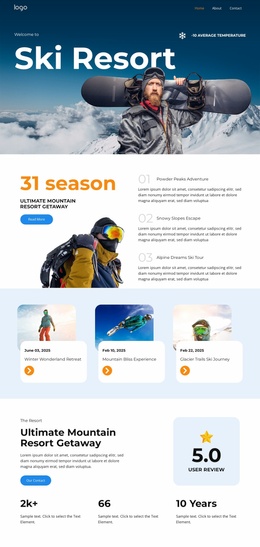
The left-aligned “Ski Resort” title and the full-width mountain image already establish the block’s central destination message. The snowboarder in the foreground adds a strong visual subject, while the “Welcome to” label and “-10 Average Temperature” detail create smaller information points along the upper edge. Together, these regions make the section readable as a focused introduction rather than an undifferentiated image.
For an HTML Code use case, those defined regions also show where project-specific functionality could be added without replacing the existing hero arrangement. A custom element might sit near the contextual labels, beside the destination message, or in an adjacent area supplied by the containing page if the project later needs an availability notice, weather feed, booking reference, or other dynamic information. The existing block does not need custom code to communicate its visual purpose; the code would be an optional extension around the established content. Its dark image shading and white typography should remain coordinated with any added content so a widget does not compete with the snowboarder or obscure the title. Any extension should preserve the distinction between the compact upper labels and the dominant left-side heading, keeping the original reading order intact.
Customize with Nicepage
Open this ready-made template in the HTML Code Generator and customize it visually in the Nicepage editor. Replace demo content, edit page sections, and adapt the design to your project without rebuilding the template from scratch.
Edit Template Offline
2. Create a new page or select existing
3. Click Add new block, search for id 6423377 and click enter
Edit Template Online
Create Awesome Websites


Free Nicepage Builder
Keywords
Extend This Page With Custom HTML Code
Insert Code With the HTML Element
Use the HTML Element to add custom code directly to a Block in the Nicepage editor. Enter the required markup in the Code field when the page needs content or functionality that is not available through the standard page elements.
Place the HTML Element in the Layout
Treat the HTML Element as part of the visual page composition. Adjust its position, width, height, alignment, and margins to place the custom content where it belongs alongside text, images, buttons, and other elements. This makes it possible to combine visually edited sections with project-specific code without separating the custom element from the rest of the layout.
Add HTML, CSS, JavaScript, and External Components
The HTML Element supports HTML, CSS, and JavaScript, allowing you to extend the page with custom markup and interactive functionality. It can also be used to embed custom code and third-party components, such as social feeds, advertising code, widgets, or other external functionality required by the project.
This workflow makes the template useful for projects that need a visual page editor together with custom HTML code, JavaScript, embedded components, and functionality beyond the standard page elements.

Design Set (14)
-

-
-
-
-
-
Customize Any TemplateDownload
-
-
-
-




More from Travel & Hotels Blocks
-

-
-
-
-
-
-
-
-
-
-
Customize Any TemplateDownload
-
-
-
-
-
-
-
-
-
-









More from Text On Image Blocks
-

-
-
-
-
-
-
-
-
-
-
Customize Any TemplateDownload
-
-
-
-
-
-
-
-
-
-