Local and specialized travel agency Html Code Example



Edit Template Offline
2. Create new page and search for id 1569141
Edit Template Online
Create Awesome Websites


Free Nicepage Builder
Keywords
Tour Cards and Contact Zones Leave Room for Useful Extensions
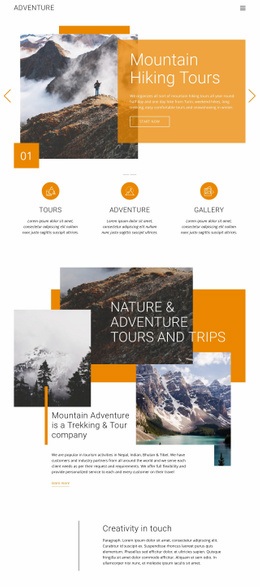
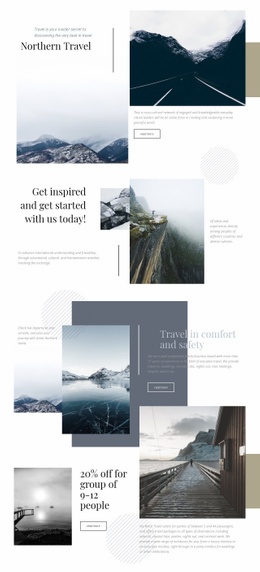
The existing content zones make it possible to identify where additional functionality could sit without replacing the travel story. The hero already combines a numbered list with a layered landscape collage, so a project-specific element could complement that introduction if visitors need an external destination selector, itinerary preview, or another interactive presentation. Such an addition would belong beside the established introductory content rather than changing the whole opening composition.
The offer sections provide clearer extension points. The overlapping Nature Tours and Exclusive deals cards introduce one group of travel choices, while the three-card Travel Deals and Promotions section separates Explore The World, Traveler Tours, and Adventure Vacations into repeated content units. If these categories later require an external booking widget, availability display, comparison tool, or destination feed, the repeated card structure gives the added component a logical content neighborhood.
The closing Travel With Us panel is another practical integration zone because it already combines a circular landscape image, contact details, and social icons. A custom element could support a project-specific inquiry or service connection near that contact content without claiming that custom code is already present. Nicepage’s HTML Element can provide a bridge for such additions, but the template’s main value here is the way its existing visual blocks identify where extra functionality can be introduced while keeping the mountain imagery and editorial hierarchy intact.
Customize with Nicepage
Open this ready-made template in the HTML Code Generator and customize it visually in the Nicepage editor. Replace demo content, edit page sections, and adapt the design to your project without rebuilding the template from scratch.
Extend This Page With Custom HTML Code
Insert Code With the HTML Element
Use the HTML Element to add custom code directly to a Block in the Nicepage editor. Enter the required markup in the Code field when the page needs content or functionality that is not available through the standard page elements.
Place the HTML Element in the Layout
Treat the HTML Element as part of the visual page composition. Adjust its position, width, height, alignment, and margins to place the custom content where it belongs alongside text, images, buttons, and other elements. This makes it possible to combine visually edited sections with project-specific code without separating the custom element from the rest of the layout.
Add HTML, CSS, JavaScript, and External Components
The HTML Element supports HTML, CSS, and JavaScript, allowing you to extend the page with custom markup and interactive functionality. It can also be used to embed custom code and third-party components, such as social feeds, advertising code, widgets, or other external functionality required by the project.
This workflow makes the template useful for projects that need a visual page editor together with custom HTML code, JavaScript, embedded components, and functionality beyond the standard page elements.

More from Travel & Hotels Html Code Examples
-
Customize Any TemplateDownload