
We collect the Site Statistics only for sites hosted on Nicepage.
You can open the Site Statistics page for sites hosted on Nicepage from your profile to see your website's visits, sessions, and views. The Site Statistics are updated every 24 hours.

Statistics Tabs
The Daily tab of the Site Statistics shows the visits and sessions for the last 30 days. A session is counted as a page view every 30 minutes, and a Visit is defined as a unique site visitor per day.

You can also see the Monthly figures for the last 12 months.

Popular Site Pages
You can also now see the new Popular Pages table on the Site Statistics page, which shows your site's 15 most popular pages sorted by Pageviews.
In the Daily view, the row shows the sum of the last 30 days; in Monthly numbers, you see the sum of the previous 12 months.

Links To Statistics
You can open this page from your User Profile or the Site Statistics page from the Settings Panel.

It is also available in your User Profile on the Nicepage website.
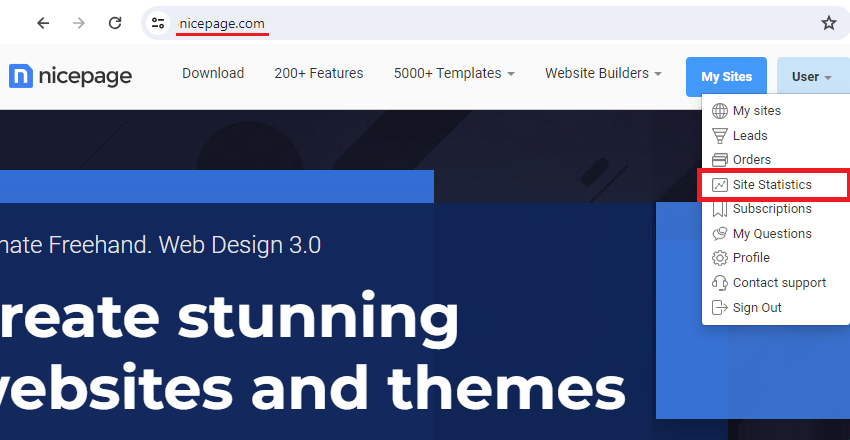
You can find this page at the following address.
https://nicepage.com/User/Sites/Statistics
Cookies For Statistics
The Sessions and Visits require cookies to be allowed. The numbers are not counted if your visitor refuses to accept cookies due to the policy.
Daily Site Statistics Updated
We update the Site Statistics once daily for the previous day. The Popular Pages table is now sorted in descending order by Pageviews. You can now click the page name to see its Daily and Monthly statistics.

The sample statistics will look like the following.

Ignore 404 in Site Statistics
We ignore all requests with a status of 404 and skip them for analysis in Site Statistics, thereby filtering traffic from site hacking.
