Leading IT services WordPress Theme


Four Structured Feature Items Form a Stable Page Content Region
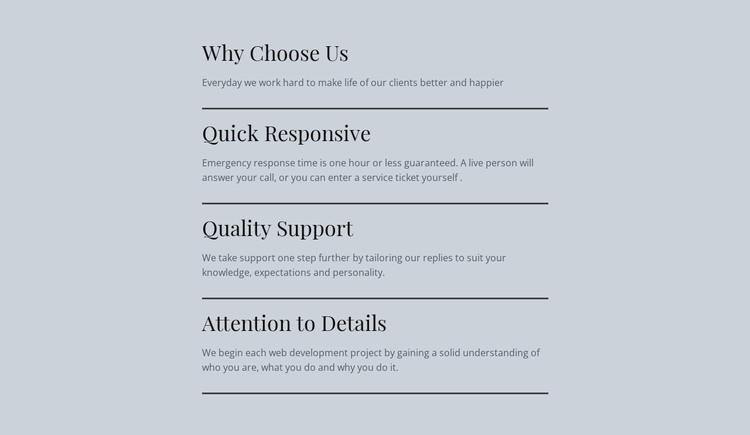
The section’s content model suits a WordPress-managed page because it organizes four related explanations into a stable, reusable visual region. “Why Choose Us” introduces the subject, while “Quick Responsive,” “Quality Support,” and “Attention to Details” provide separate feature headings with supporting paragraphs. The repeated heading-and-description pattern keeps each point identifiable without requiring a grid, carousel, form, or other functional component inside the block.
The single narrow centered column gives the content a consistent page role. Every item follows the same order, and each horizontal divider marks a clear boundary between one explanation and the next. Large serif headings establish the editorial hierarchy, while smaller sans-serif descriptions carry the supporting detail. The muted light blue-gray background and dark charcoal type make the region visually self-contained, so it can sit within a larger page while remaining recognizable as one feature or reasons-to-choose section.
In a WordPress-oriented project, this kind of block can serve as permanent page content around which other managed areas are arranged. The section can explain differentiators on a services, company, or provider page, while the broader site handles navigation, additional content, and any publishing workflows outside this block. Its value is the stable relationship between content groups and visual treatment: changes to surrounding page content do not need to alter the four-item structure itself.
Customize with Nicepage
Open this ready-made template in the WordPress Website Builder and customize it visually in the Nicepage editor. Replace demo content, edit page sections, and adapt the design to your project without rebuilding the template from scratch.
Edit Template Offline
2. Create a new page or select existing
3. Click Add new block, search for id 86281 and click enter
Edit Template Online
Create Awesome Websites


Free Nicepage Builder
Keywords
Manage and Edit This Theme in WordPress
Customize and Install the WordPress Theme
Start with this ready-made theme instead of building the WordPress design from scratch. Customize its layout, content, typography, images, sections, and other design elements visually in Nicepage editor, then export and install the WordPress Theme, Plugin, and Pages on your WordPress site. The Nicepage WordPress Plugin lets you continue working with the site after installation.
Edit the Theme Directly in WordPress
After installation, you can edit the WordPress Theme directly in WordPress with the Nicepage WordPress Plugin. Use Site Style to customize site Colors, Fonts, Header, Footer, Blog, and Post Page Templates while working within your WordPress website.
Edit WordPress Pages Visually
Use the Nicepage WordPress Plugin to edit page content directly from the WordPress admin area. Open a WordPress Page with Nicepage and visually change its text, images, sections, and other page elements while continuing to manage the Page through WordPress.
WordPress Content and Theme Integration
Use the customized theme with WordPress Pages, Posts, Blog and Post Templates, menus, widgets, and other CMS-managed content. Shared theme elements such as Colors, Fonts, Header, Footer, Blog, and Post Page Templates can be managed as part of the overall site design, while WordPress provides the CMS environment for managing site content.
This workflow combines a ready-made WordPress Theme with visual customization, direct theme editing in WordPress, and continued content management through the Nicepage WordPress Plugin.