Consulting Features WordPress Theme


Thematic Feature Cards as Stable WordPress Page Content
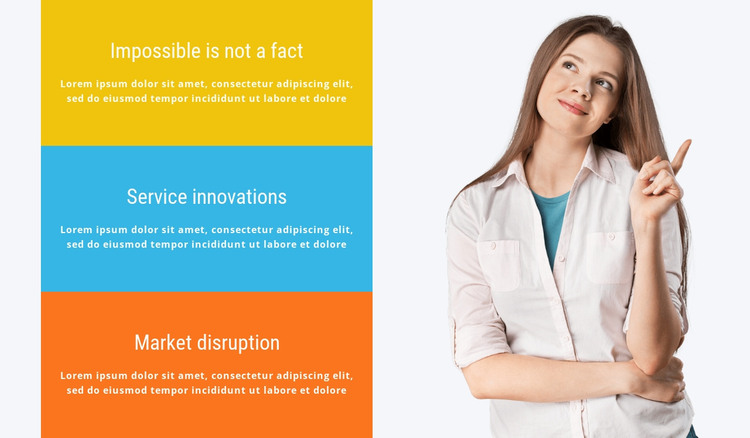
The three cards read as stable informational content that can fit within a WordPress-managed page. Each repeated item combines a feature title with a supporting paragraph, creating three clear units for explaining capabilities or service themes. “Impossible is not a fact,” “Service innovations,” and “Market disruption” provide the visible labels, while the repeated placeholder paragraphs indicate where final page copy can be inserted without changing the established structure.
The block’s split layout helps separate content from visual support. A vertical stack of yellow, blue, and orange cards occupies the left side, with centered white text applied consistently across all three. The single portrait on the right sits against a very light neutral background, giving the composition a human focal point and preventing the colored cards from becoming one uninterrupted field. The result is a defined feature area rather than a flat list of text.
In a WordPress-oriented project, this section can remain reusable page content within a services, capabilities, or company-information context. The wider site may manage other pages and publishable material separately, while this block preserves its own three-item visual pattern. Its value comes from keeping related information together and making the content easy to identify as one section. It participates in a broader theme and page system without representing a complete WordPress Theme by itself.
Customize with Nicepage
Open this ready-made template in the WordPress Website Builder and customize it visually in the Nicepage editor. Replace demo content, edit page sections, and adapt the design to your project without rebuilding the template from scratch.
Edit Template Offline
2. Create a new page or select existing
3. Click Add new block, search for id 85872 and click enter
Edit Template Online
Create Awesome Websites


Free Nicepage Builder
Keywords
Manage and Edit This Theme in WordPress
Customize and Install the WordPress Theme
Start with this ready-made theme instead of building the WordPress design from scratch. Customize its layout, content, typography, images, sections, and other design elements visually in Nicepage editor, then export and install the WordPress Theme, Plugin, and Pages on your WordPress site. The Nicepage WordPress Plugin lets you continue working with the site after installation.
Edit the Theme Directly in WordPress
After installation, you can edit the WordPress Theme directly in WordPress with the Nicepage WordPress Plugin. Use Site Style to customize site Colors, Fonts, Header, Footer, Blog, and Post Page Templates while working within your WordPress website.
Edit WordPress Pages Visually
Use the Nicepage WordPress Plugin to edit page content directly from the WordPress admin area. Open a WordPress Page with Nicepage and visually change its text, images, sections, and other page elements while continuing to manage the Page through WordPress.
WordPress Content and Theme Integration
Use the customized theme with WordPress Pages, Posts, Blog and Post Templates, menus, widgets, and other CMS-managed content. Shared theme elements such as Colors, Fonts, Header, Footer, Blog, and Post Page Templates can be managed as part of the overall site design, while WordPress provides the CMS environment for managing site content.
This workflow combines a ready-made WordPress Theme with visual customization, direct theme editing in WordPress, and continued content management through the Nicepage WordPress Plugin.