Architecting the digital WordPress Theme


The centered introduction anchors six reusable WordPress content items
“Architecting the digital” gives the section a stable subject, while the supporting paragraph frames the content around a company branding process and comprehensive brand guidelines. The references to marketing websites and brand illustrations make the introduction suitable for permanent page content about digital design assets. An inline “marketing website” link adds a related destination without competing with the main heading. Beneath this opening, the pale gray curved shape provides background decoration and leaves the text hierarchy visible.
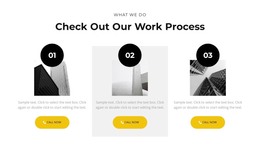
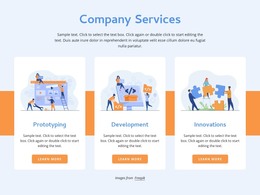
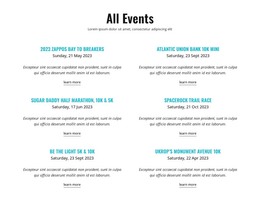
The six numbered items are the block’s primary content model. Arranged in three columns across two rows, they divide the subject into six descriptive paragraphs, each identified by a visible number. In a WordPress-managed page, this repeated structure can hold stable service or process information that visitors can scan as separate points. The consistent blue-purple markers create a recognizable visual pattern across the items, while the lighter paragraph text keeps the numbered sequence subordinate to the dark introductory heading.
This organization suits a reusable page section rather than a stream of dated editorial entries: the information is grouped around one branding theme and presented with equal emphasis. A wider WordPress project can place other page content around it, such as portfolio or contact sections, while this block preserves the role of explaining six connected digital-design considerations in a compact, orderly format.
Customize with Nicepage
Open this ready-made template in the WordPress Website Builder and customize it visually in the Nicepage editor. Replace demo content, edit page sections, and adapt the design to your project without rebuilding the template from scratch.
Edit Template Offline
2. Create a new page or select existing
3. Click Add new block, search for id 758349 and click enter
Edit Template Online
Create Awesome Websites


Free Nicepage Builder
Keywords
Manage and Edit This Theme in WordPress
Customize and Install the WordPress Theme
Start with this ready-made theme instead of building the WordPress design from scratch. Customize its layout, content, typography, images, sections, and other design elements visually in Nicepage editor, then export and install the WordPress Theme, Plugin, and Pages on your WordPress site. The Nicepage WordPress Plugin lets you continue working with the site after installation.
Edit the Theme Directly in WordPress
After installation, you can edit the WordPress Theme directly in WordPress with the Nicepage WordPress Plugin. Use Site Style to customize site Colors, Fonts, Header, Footer, Blog, and Post Page Templates while working within your WordPress website.
Edit WordPress Pages Visually
Use the Nicepage WordPress Plugin to edit page content directly from the WordPress admin area. Open a WordPress Page with Nicepage and visually change its text, images, sections, and other page elements while continuing to manage the Page through WordPress.
WordPress Content and Theme Integration
Use the customized theme with WordPress Pages, Posts, Blog and Post Templates, menus, widgets, and other CMS-managed content. Shared theme elements such as Colors, Fonts, Header, Footer, Blog, and Post Page Templates can be managed as part of the overall site design, while WordPress provides the CMS environment for managing site content.
This workflow combines a ready-made WordPress Theme with visual customization, direct theme editing in WordPress, and continued content management through the Nicepage WordPress Plugin.