Dental implant center WordPress Theme


Four Icon-Led Cards Create Stable Dental Page Content
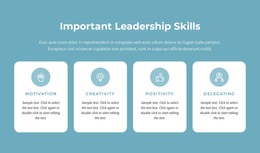
The full-width dental treatment photograph gives the section a clear visual entry point, while the four cards below organize supporting information into separate content units. Each unit has the same basic relationship between circular dental-themed icon, label, and description space. Alternating blue and cyan backgrounds distinguish the cards without changing their shared structure, so the row can present several dental highlights as one consistent page section.
In a WordPress-oriented project, this arrangement fits permanent page content more naturally than a time-sensitive editorial stream. A services or practice page could use the block to summarize areas such as Dental Implant and 24/7 Services, while the broader site provides fuller treatment explanations, team information, contact details, or appointment content elsewhere. The sample labels Excellent Work and Guaranteed Work can be replaced with wording that accurately represents the final practice.
The block's value in a WordPress-managed context is its stable visual pattern: one supporting treatment image followed by four concise feature messages. It can remain a recognizable section while surrounding page content evolves. Nicepage supports WordPress page design and content editing, but the block itself remains one reusable section rather than a complete theme. Its static interaction also keeps the four feature messages visible together, without requiring visitors to open tabs or move through a carousel.
Customize with Nicepage
Open this ready-made template in the WordPress Website Builder and customize it visually in the Nicepage editor. Replace demo content, edit page sections, and adapt the design to your project without rebuilding the template from scratch.
Edit Template Offline
2. Create a new page or select existing
3. Click Add new block, search for id 70530 and click enter
Edit Template Online
Create Awesome Websites


Free Nicepage Builder
Keywords
Manage and Edit This Theme in WordPress
Customize and Install the WordPress Theme
Start with this ready-made theme instead of building the WordPress design from scratch. Customize its layout, content, typography, images, sections, and other design elements visually in Nicepage editor, then export and install the WordPress Theme, Plugin, and Pages on your WordPress site. The Nicepage WordPress Plugin lets you continue working with the site after installation.
Edit the Theme Directly in WordPress
After installation, you can edit the WordPress Theme directly in WordPress with the Nicepage WordPress Plugin. Use Site Style to customize site Colors, Fonts, Header, Footer, Blog, and Post Page Templates while working within your WordPress website.
Edit WordPress Pages Visually
Use the Nicepage WordPress Plugin to edit page content directly from the WordPress admin area. Open a WordPress Page with Nicepage and visually change its text, images, sections, and other page elements while continuing to manage the Page through WordPress.
WordPress Content and Theme Integration
Use the customized theme with WordPress Pages, Posts, Blog and Post Templates, menus, widgets, and other CMS-managed content. Shared theme elements such as Colors, Fonts, Header, Footer, Blog, and Post Page Templates can be managed as part of the overall site design, while WordPress provides the CMS environment for managing site content.
This workflow combines a ready-made WordPress Theme with visual customization, direct theme editing in WordPress, and continued content management through the Nicepage WordPress Plugin.