Future-Ready Biochemical Solutions WordPress Theme


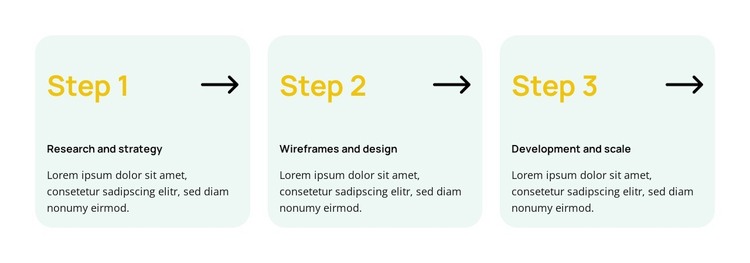
Three Static Stages Provide Structured Page Content
The repeated cards read as stable informational content: Research and strategy introduces the first stage, Wireframes and design defines the next, and Development and scale completes the visible sequence. Each card keeps the same content pattern, combining a number, stage title, supporting description, and directional graphic. That regularity makes the block suitable for a WordPress-oriented page where a process explanation needs to remain visually consistent while the surrounding project manages other content areas.
The pale green rounded cards separate the three stages into recognizable content units, and the yellow labels help readers identify the order before reading the darker titles and descriptions. On a wider page, the three-column row presents the stages together so visitors can compare their relationship at a glance. The block is static, so its meaning comes from the visible hierarchy and arrow motif rather than from an interaction control. In a WordPress-managed site, it can serve as a permanent process or workflow section while other page content handles introductions, detailed service information, proof, or contact actions. The section remains one reusable content region; the broader theme and CMS context determine where it appears and how it relates to the rest of the page.
Customize with Nicepage
Open this ready-made template in the WordPress Website Builder and customize it visually in the Nicepage editor. Replace demo content, edit page sections, and adapt the design to your project without rebuilding the template from scratch.
Edit Template Offline
2. Create a new page or select existing
3. Click Add new block, search for id 6532478 and click enter
Edit Template Online
Create Awesome Websites


Free Nicepage Builder
Keywords
Manage and Edit This Theme in WordPress
Customize and Install the WordPress Theme
Start with this ready-made theme instead of building the WordPress design from scratch. Customize its layout, content, typography, images, sections, and other design elements visually in Nicepage editor, then export and install the WordPress Theme, Plugin, and Pages on your WordPress site. The Nicepage WordPress Plugin lets you continue working with the site after installation.
Edit the Theme Directly in WordPress
After installation, you can edit the WordPress Theme directly in WordPress with the Nicepage WordPress Plugin. Use Site Style to customize site Colors, Fonts, Header, Footer, Blog, and Post Page Templates while working within your WordPress website.
Edit WordPress Pages Visually
Use the Nicepage WordPress Plugin to edit page content directly from the WordPress admin area. Open a WordPress Page with Nicepage and visually change its text, images, sections, and other page elements while continuing to manage the Page through WordPress.
WordPress Content and Theme Integration
Use the customized theme with WordPress Pages, Posts, Blog and Post Templates, menus, widgets, and other CMS-managed content. Shared theme elements such as Colors, Fonts, Header, Footer, Blog, and Post Page Templates can be managed as part of the overall site design, while WordPress provides the CMS environment for managing site content.
This workflow combines a ready-made WordPress Theme with visual customization, direct theme editing in WordPress, and continued content management through the Nicepage WordPress Plugin.