Urban agglomerations WordPress Theme


Building and Planning Cards Translate Into Stable Page Content
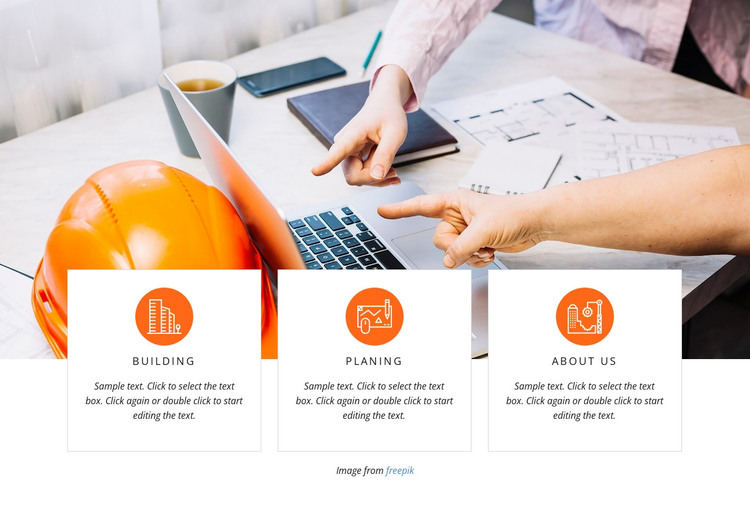
The repeated card structure reads as permanent informational content rather than a changing feed. Building, Planing, and About Us each occupy a separate white panel, with a circular orange icon above a centered uppercase label and supporting paragraph. That consistent arrangement gives a WordPress-managed page a compact way to present related categories while keeping every item visible at the same time.
The photograph behind the cards adds construction and planning context, but the overlapping white panels preserve a readable area for the text. The image spans the upper portion of the section, whereas the cards form the lower information layer, creating a clear relationship between visual subject and category descriptions. Thin borders and strong contrast help distinguish the three content units without making them feel disconnected.
In a WordPress-oriented project, this block can function as a stable section on a services, company, or presentation page. The wider site can manage other page content around it, while this section retains its focused set of categories and its fixed visual arrangement. It does not depend on sliders, tabs, or other changing interaction; its usefulness comes from the direct comparison of three related items. The repeated card pattern can also remain visually consistent if the surrounding project uses similar feature or service content areas.
Customize with Nicepage
Open this ready-made template in the WordPress Website Builder and customize it visually in the Nicepage editor. Replace demo content, edit page sections, and adapt the design to your project without rebuilding the template from scratch.
Edit Template Offline
2. Create a new page or select existing
3. Click Add new block, search for id 63826 and click enter
Edit Template Online
Create Awesome Websites


Free Nicepage Builder
Keywords
Manage and Edit This Theme in WordPress
Customize and Install the WordPress Theme
Start with this ready-made theme instead of building the WordPress design from scratch. Customize its layout, content, typography, images, sections, and other design elements visually in Nicepage editor, then export and install the WordPress Theme, Plugin, and Pages on your WordPress site. The Nicepage WordPress Plugin lets you continue working with the site after installation.
Edit the Theme Directly in WordPress
After installation, you can edit the WordPress Theme directly in WordPress with the Nicepage WordPress Plugin. Use Site Style to customize site Colors, Fonts, Header, Footer, Blog, and Post Page Templates while working within your WordPress website.
Edit WordPress Pages Visually
Use the Nicepage WordPress Plugin to edit page content directly from the WordPress admin area. Open a WordPress Page with Nicepage and visually change its text, images, sections, and other page elements while continuing to manage the Page through WordPress.
WordPress Content and Theme Integration
Use the customized theme with WordPress Pages, Posts, Blog and Post Templates, menus, widgets, and other CMS-managed content. Shared theme elements such as Colors, Fonts, Header, Footer, Blog, and Post Page Templates can be managed as part of the overall site design, while WordPress provides the CMS environment for managing site content.
This workflow combines a ready-made WordPress Theme with visual customization, direct theme editing in WordPress, and continued content management through the Nicepage WordPress Plugin.