The power gym WordPress Theme


Permanent Contact Content With a Strong Image-to-Form Relationship
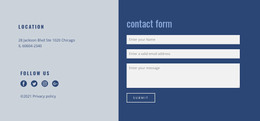
The form gives this block a practical page-content role: it gathers a name, email address, and message through one focused submission path. That function is balanced by the left column, where the monochrome underground parking image and “the power.” heading provide a visual introduction rather than additional form controls. On the right, the lime-green background, white typography, and thin field outlines make the contact task easy to distinguish from the image-led area.
In a WordPress-managed project, this section can serve as stable contact content within a page while the wider site handles other publishable areas and site structure. The block does not need to become a complete theme to be useful; its value is the consistent presentation of one communication task. The three input types give the content a straightforward information model, and the single Submit action keeps the response path concentrated. If the surrounding page contains business details or supporting information, this block can provide the point where visitors move from viewing that context to sending a message. Its strong color contrast also makes it a recognizable reusable section when similar visual direction is maintained elsewhere.
Customize with Nicepage
Open this ready-made template in the WordPress Website Builder and customize it visually in the Nicepage editor. Replace demo content, edit page sections, and adapt the design to your project without rebuilding the template from scratch.
Edit Template Offline
2. Create a new page or select existing
3. Click Add new block, search for id 63308 and click enter
Edit Template Online
Create Awesome Websites


Free Nicepage Builder
Keywords
Manage and Edit This Theme in WordPress
Customize and Install the WordPress Theme
Start with this ready-made theme instead of building the WordPress design from scratch. Customize its layout, content, typography, images, sections, and other design elements visually in Nicepage editor, then export and install the WordPress Theme, Plugin, and Pages on your WordPress site. The Nicepage WordPress Plugin lets you continue working with the site after installation.
Edit the Theme Directly in WordPress
After installation, you can edit the WordPress Theme directly in WordPress with the Nicepage WordPress Plugin. Use Site Style to customize site Colors, Fonts, Header, Footer, Blog, and Post Page Templates while working within your WordPress website.
Edit WordPress Pages Visually
Use the Nicepage WordPress Plugin to edit page content directly from the WordPress admin area. Open a WordPress Page with Nicepage and visually change its text, images, sections, and other page elements while continuing to manage the Page through WordPress.
WordPress Content and Theme Integration
Use the customized theme with WordPress Pages, Posts, Blog and Post Templates, menus, widgets, and other CMS-managed content. Shared theme elements such as Colors, Fonts, Header, Footer, Blog, and Post Page Templates can be managed as part of the overall site design, while WordPress provides the CMS environment for managing site content.
This workflow combines a ready-made WordPress Theme with visual customization, direct theme editing in WordPress, and continued content management through the Nicepage WordPress Plugin.