Art classes for kids WordPress Theme


Stable Program Content Around a Human Focus
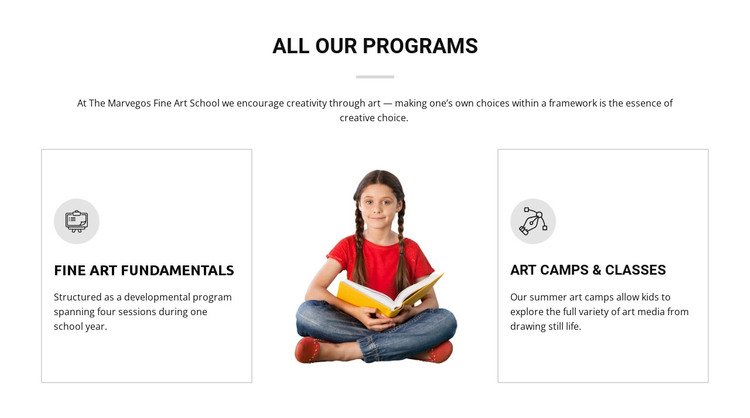
The heading and paired program descriptions form durable page content rather than a time-sensitive list of posts. Fine Art Fundamentals gives families a structured reference to four sessions during one school year, while Art Camps & Classes describes a summer program where children can explore different art media. These two content directions remain distinct, yet the central child portrait visually connects them as parts of the same educational offering.
In a WordPress-managed page, the block can function as a stable programs section within the wider site’s content structure. Its bordered cards keep each offering readable and independently scannable, while the centered introduction supplies context before visitors compare the options. The block can therefore support a permanent services or programs page without being treated as a complete theme or site component by itself.
The visual organization is also useful when content is maintained around the section. The “ALL OUR PROGRAMS” heading gives the area a clear editorial label, and the white background with restrained gray accents leaves room for the surrounding page design to establish broader context. Other managed content can handle school information, galleries, enrollment details, or updates, while this section continues to present the two core program choices. Its strength in a WordPress-oriented project is the combination of stable information and a reusable visual arrangement, not an invented blog or CMS structure.
Customize with Nicepage
Open this ready-made template in the WordPress Website Builder and customize it visually in the Nicepage editor. Replace demo content, edit page sections, and adapt the design to your project without rebuilding the template from scratch.
Edit Template Offline
2. Create a new page or select existing
3. Click Add new block, search for id 60433 and click enter
Edit Template Online
Create Awesome Websites


Free Nicepage Builder
Keywords
Manage and Edit This Theme in WordPress
Customize and Install the WordPress Theme
Start with this ready-made theme instead of building the WordPress design from scratch. Customize its layout, content, typography, images, sections, and other design elements visually in Nicepage editor, then export and install the WordPress Theme, Plugin, and Pages on your WordPress site. The Nicepage WordPress Plugin lets you continue working with the site after installation.
Edit the Theme Directly in WordPress
After installation, you can edit the WordPress Theme directly in WordPress with the Nicepage WordPress Plugin. Use Site Style to customize site Colors, Fonts, Header, Footer, Blog, and Post Page Templates while working within your WordPress website.
Edit WordPress Pages Visually
Use the Nicepage WordPress Plugin to edit page content directly from the WordPress admin area. Open a WordPress Page with Nicepage and visually change its text, images, sections, and other page elements while continuing to manage the Page through WordPress.
WordPress Content and Theme Integration
Use the customized theme with WordPress Pages, Posts, Blog and Post Templates, menus, widgets, and other CMS-managed content. Shared theme elements such as Colors, Fonts, Header, Footer, Blog, and Post Page Templates can be managed as part of the overall site design, while WordPress provides the CMS environment for managing site content.
This workflow combines a ready-made WordPress Theme with visual customization, direct theme editing in WordPress, and continued content management through the Nicepage WordPress Plugin.