Climb to top of high mountain WordPress Theme


Three Travel Cards Form a Reusable Services Section
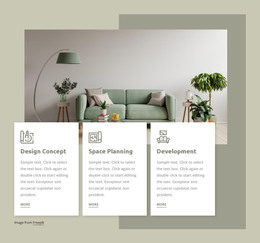
The repeated card structure reads as stable page content for a WordPress-managed travel site. “Why Us?”, “Plan Your Travel”, and “Holiday Tours” divide the section into three related service areas, each supported by a circular line icon, a centered heading, and descriptive text. The arrangement is suitable for presenting a concise overview of travel offerings before visitors reach more detailed information elsewhere in the project.
A mountain photograph spans the full width and extends behind the lower card edge, giving the section a strong destination-focused visual entry. The cool gray image contrasts with the saturated blue, orange, and red cards, while consistent spacing and vertical alignment make the three content units easy to scan as one services group. The copy’s references to roundtrips, cars, hotels, flights, adventure tours, and cultural tours can be adapted as page content without changing the block’s structure.
Within a WordPress-oriented project, this section can remain a reusable part of a permanent services or travel page while other content areas handle deeper descriptions, articles, galleries, or contact details. The block contributes a defined content region rather than functioning as a complete theme. Its static presentation also keeps the relationship between the scenic image and the three service summaries clear, making it useful when a page needs visual context followed by a compact set of travel-related offerings.
Customize with Nicepage
Open this ready-made template in the WordPress Website Builder and customize it visually in the Nicepage editor. Replace demo content, edit page sections, and adapt the design to your project without rebuilding the template from scratch.
Edit Template Offline
2. Create a new page or select existing
3. Click Add new block, search for id 58546 and click enter
Edit Template Online
Create Awesome Websites


Free Nicepage Builder
Keywords
Manage and Edit This Theme in WordPress
Customize and Install the WordPress Theme
Start with this ready-made theme instead of building the WordPress design from scratch. Customize its layout, content, typography, images, sections, and other design elements visually in Nicepage editor, then export and install the WordPress Theme, Plugin, and Pages on your WordPress site. The Nicepage WordPress Plugin lets you continue working with the site after installation.
Edit the Theme Directly in WordPress
After installation, you can edit the WordPress Theme directly in WordPress with the Nicepage WordPress Plugin. Use Site Style to customize site Colors, Fonts, Header, Footer, Blog, and Post Page Templates while working within your WordPress website.
Edit WordPress Pages Visually
Use the Nicepage WordPress Plugin to edit page content directly from the WordPress admin area. Open a WordPress Page with Nicepage and visually change its text, images, sections, and other page elements while continuing to manage the Page through WordPress.
WordPress Content and Theme Integration
Use the customized theme with WordPress Pages, Posts, Blog and Post Templates, menus, widgets, and other CMS-managed content. Shared theme elements such as Colors, Fonts, Header, Footer, Blog, and Post Page Templates can be managed as part of the overall site design, while WordPress provides the CMS environment for managing site content.
This workflow combines a ready-made WordPress Theme with visual customization, direct theme editing in WordPress, and continued content management through the Nicepage WordPress Plugin.