Colored cells with icons WordPress Theme


Three Repeated Feature Cards Provide Stable Page Content
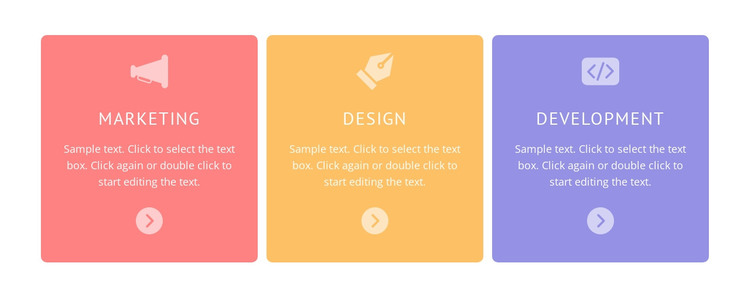
The repeated Marketing, Design, and Development cards read as stable feature content that can occupy one section of a WordPress-managed page. Each card has the same sequence—icon, category title, supporting copy, and circular arrow icon—so the visual pattern can remain consistent while the text is adapted to the final content model. The single horizontal row places all three categories at the same level, making the group useful for presenting related areas without suggesting that one category is the parent of the others.
Color supplies the strongest distinction between the items: coral, orange, and lavender backgrounds separate the cards, while centered white content connects them as one set. Rounded corners and generous gaps prevent the row from becoming a dense text strip, and the vertical stacking gives each category a predictable reading path. The current supporting paragraphs are identical sample text, so they function as editable placeholders rather than specific descriptions of real services. In a WordPress-oriented project, the block can remain a reusable feature section within permanent page content, while surrounding pages or sections handle introductions, details, navigation, and other site functions. Its value lies in the clear presentation pattern, not in being a complete theme or page.
Customize with Nicepage
Open this ready-made template in the WordPress Website Builder and customize it visually in the Nicepage editor. Replace demo content, edit page sections, and adapt the design to your project without rebuilding the template from scratch.
Edit Template Offline
2. Create a new page or select existing
3. Click Add new block, search for id 461181 and click enter
Edit Template Online
Create Awesome Websites


Free Nicepage Builder
Keywords
Manage and Edit This Theme in WordPress
Customize and Install the WordPress Theme
Start with this ready-made theme instead of building the WordPress design from scratch. Customize its layout, content, typography, images, sections, and other design elements visually in Nicepage editor, then export and install the WordPress Theme, Plugin, and Pages on your WordPress site. The Nicepage WordPress Plugin lets you continue working with the site after installation.
Edit the Theme Directly in WordPress
After installation, you can edit the WordPress Theme directly in WordPress with the Nicepage WordPress Plugin. Use Site Style to customize site Colors, Fonts, Header, Footer, Blog, and Post Page Templates while working within your WordPress website.
Edit WordPress Pages Visually
Use the Nicepage WordPress Plugin to edit page content directly from the WordPress admin area. Open a WordPress Page with Nicepage and visually change its text, images, sections, and other page elements while continuing to manage the Page through WordPress.
WordPress Content and Theme Integration
Use the customized theme with WordPress Pages, Posts, Blog and Post Templates, menus, widgets, and other CMS-managed content. Shared theme elements such as Colors, Fonts, Header, Footer, Blog, and Post Page Templates can be managed as part of the overall site design, while WordPress provides the CMS environment for managing site content.
This workflow combines a ready-made WordPress Theme with visual customization, direct theme editing in WordPress, and continued content management through the Nicepage WordPress Plugin.