We deliver services WordPress Theme


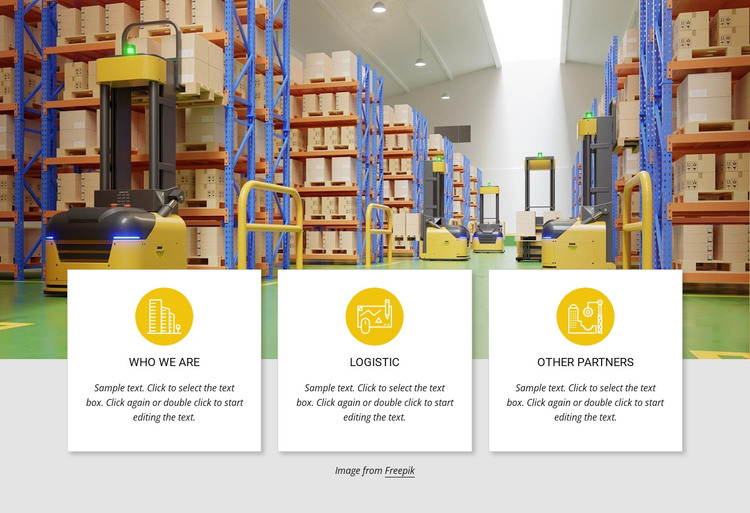
A Warehouse Feature Row for Stable Page Content
The photograph carries the main visual weight in this section, showing a warehouse interior with shelving, boxes, and material-handling equipment. Across its lower edge, three white cards form a single repeated content row. This arrangement lets the image introduce the operational setting while the cards provide short, separate areas for information that visitors can scan side by side.
The card headings Who We Are, Logistic, and Other Partners suggest three stable categories rather than a chronological sequence. Their circular yellow icons act as recurring visual markers, and the centered headings and sample paragraphs give each card the same reading structure. Thin light borders help define the cards against the light gray background, while the overlap keeps the relationship between the photograph and the content visible.
In a WordPress-managed page, the block can function as a reusable services or features section whose visual arrangement remains consistent as the wider site develops. It is suited to permanent page content about an organization, logistics activity, or partner relationships, while other areas handle deeper information or regularly changing material. The sample paragraphs are demonstration copy and should be replaced with the site's own descriptions. The three-card pattern, however, provides a stable way to keep these categories grouped beneath one warehouse image.
Customize with Nicepage
Open this ready-made template in the WordPress Website Builder and customize it visually in the Nicepage editor. Replace demo content, edit page sections, and adapt the design to your project without rebuilding the template from scratch.
Edit Template Offline
2. Create a new page or select existing
3. Click Add new block, search for id 443931 and click enter
Edit Template Online
Create Awesome Websites


Free Nicepage Builder
Keywords
Manage and Edit This Theme in WordPress
Customize and Install the WordPress Theme
Start with this ready-made theme instead of building the WordPress design from scratch. Customize its layout, content, typography, images, sections, and other design elements visually in Nicepage editor, then export and install the WordPress Theme, Plugin, and Pages on your WordPress site. The Nicepage WordPress Plugin lets you continue working with the site after installation.
Edit the Theme Directly in WordPress
After installation, you can edit the WordPress Theme directly in WordPress with the Nicepage WordPress Plugin. Use Site Style to customize site Colors, Fonts, Header, Footer, Blog, and Post Page Templates while working within your WordPress website.
Edit WordPress Pages Visually
Use the Nicepage WordPress Plugin to edit page content directly from the WordPress admin area. Open a WordPress Page with Nicepage and visually change its text, images, sections, and other page elements while continuing to manage the Page through WordPress.
WordPress Content and Theme Integration
Use the customized theme with WordPress Pages, Posts, Blog and Post Templates, menus, widgets, and other CMS-managed content. Shared theme elements such as Colors, Fonts, Header, Footer, Blog, and Post Page Templates can be managed as part of the overall site design, while WordPress provides the CMS environment for managing site content.
This workflow combines a ready-made WordPress Theme with visual customization, direct theme editing in WordPress, and continued content management through the Nicepage WordPress Plugin.