Two opinion WordPress Theme


A Values Column Gives the Testimonial Content a Stable Page Role
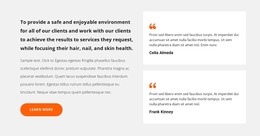
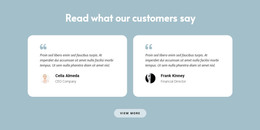
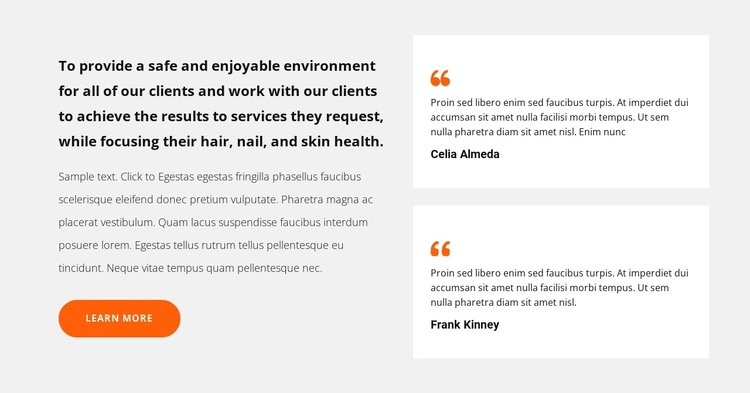
The left column reads as permanent page content rather than a stream of dated updates. Its introductory statement focuses on client safety, a pleasant environment, and the health of hair, nails, and skin; the supporting paragraph develops that message, while the Learn More button offers a clear route to additional information. Beside it, two vertically stacked white cards provide a compact feedback area. Quote marks, sample quotation text, and displayed names give both cards the same recognizable content format.
For a WordPress-managed page, this block can work as a stable testimonials section on a services or about-oriented page. The explanatory column gives the section a durable editorial purpose, while the repeated cards can be maintained as visible page content when approved testimonial copy is available. The names and quotations shown in the design are sample material, so they can be replaced without changing the relationship between the values message and the supporting feedback.
The light gray field and orange details help the section stand apart from neighboring page content, while the dark bold statement and smaller muted paragraph create a clear reading order. The block remains one content area within a WordPress-managed site; other pages, navigation, and broader theme structures surround it rather than being contained in this testimonial layout.
Customize with Nicepage
Open this ready-made template in the WordPress Website Builder and customize it visually in the Nicepage editor. Replace demo content, edit page sections, and adapt the design to your project without rebuilding the template from scratch.
Edit Template Offline
2. Create a new page or select existing
3. Click Add new block, search for id 3503614 and click enter
Edit Template Online
Create Awesome Websites


Free Nicepage Builder
Keywords
Manage and Edit This Theme in WordPress
Customize and Install the WordPress Theme
Start with this ready-made theme instead of building the WordPress design from scratch. Customize its layout, content, typography, images, sections, and other design elements visually in Nicepage editor, then export and install the WordPress Theme, Plugin, and Pages on your WordPress site. The Nicepage WordPress Plugin lets you continue working with the site after installation.
Edit the Theme Directly in WordPress
After installation, you can edit the WordPress Theme directly in WordPress with the Nicepage WordPress Plugin. Use Site Style to customize site Colors, Fonts, Header, Footer, Blog, and Post Page Templates while working within your WordPress website.
Edit WordPress Pages Visually
Use the Nicepage WordPress Plugin to edit page content directly from the WordPress admin area. Open a WordPress Page with Nicepage and visually change its text, images, sections, and other page elements while continuing to manage the Page through WordPress.
WordPress Content and Theme Integration
Use the customized theme with WordPress Pages, Posts, Blog and Post Templates, menus, widgets, and other CMS-managed content. Shared theme elements such as Colors, Fonts, Header, Footer, Blog, and Post Page Templates can be managed as part of the overall site design, while WordPress provides the CMS environment for managing site content.
This workflow combines a ready-made WordPress Theme with visual customization, direct theme editing in WordPress, and continued content management through the Nicepage WordPress Plugin.