Organization of business meetings WordPress Theme


Counter Highlights Turn Page Content Into a Clear Business Story
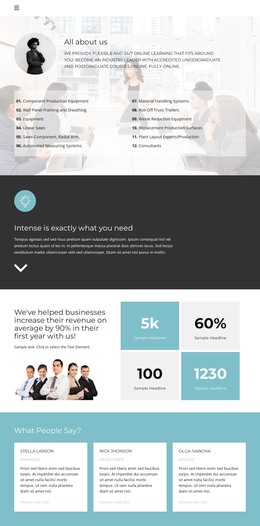
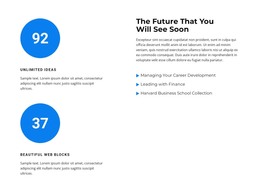
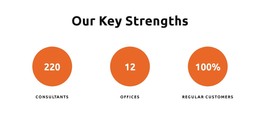
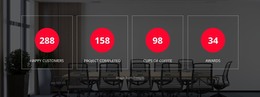
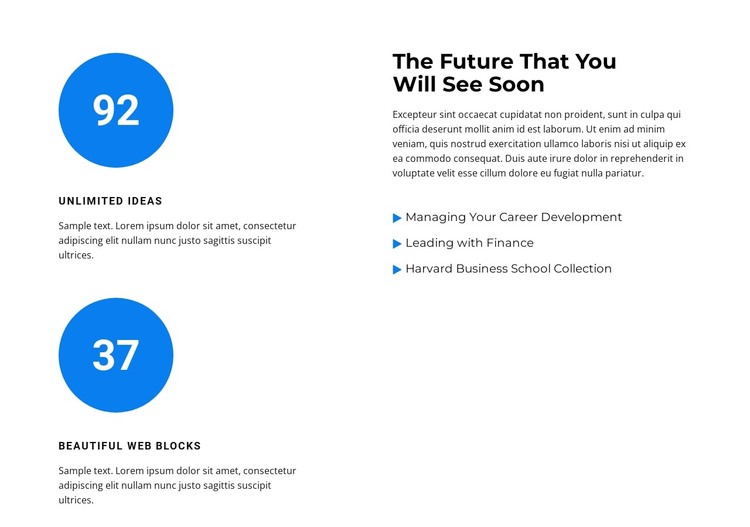
The section reads as stable informational content rather than a time-sensitive feed. Its left column presents two repeated counter items, each built around a large value, a compact label, and a short description. On the right, the heading “The Future That You Will See Soon” introduces supporting text and three named topics: Managing Your Career Development, Leading with Finance, and Harvard Business School Collection. This arrangement gives a WordPress-managed page a defined business education or career-development content area without making the block itself a complete theme.
The visual hierarchy helps the content remain recognizable when placed among other page sections. Large counter values carry the first visual emphasis, and the blue circular shapes behind them separate the figures from the surrounding white space. The right column is more text-led, while the blue triangular bullets provide a lighter repeated marker for the topic list. Dark typography and compact uppercase labels distinguish headings, summaries, and supporting descriptions without adding interaction that visitors must operate.
Within a WordPress-oriented project, the section can serve as permanent page content on a services, education, or professional-development page. The sample values and descriptions can be replaced with the site's own material, while the two-column relationship continues to organize quantitative highlights beside related subjects. Other WordPress-managed pages and content can surround this section, but the block's useful role remains focused: it presents a concise set of figures and topics in a consistent visual unit.
Customize with Nicepage
Open this ready-made template in the WordPress Website Builder and customize it visually in the Nicepage editor. Replace demo content, edit page sections, and adapt the design to your project without rebuilding the template from scratch.
Edit Template Offline
2. Create a new page or select existing
3. Click Add new block, search for id 2814304 and click enter
Edit Template Online
Create Awesome Websites


Free Nicepage Builder
Keywords
Manage and Edit This Theme in WordPress
Customize and Install the WordPress Theme
Start with this ready-made theme instead of building the WordPress design from scratch. Customize its layout, content, typography, images, sections, and other design elements visually in Nicepage editor, then export and install the WordPress Theme, Plugin, and Pages on your WordPress site. The Nicepage WordPress Plugin lets you continue working with the site after installation.
Edit the Theme Directly in WordPress
After installation, you can edit the WordPress Theme directly in WordPress with the Nicepage WordPress Plugin. Use Site Style to customize site Colors, Fonts, Header, Footer, Blog, and Post Page Templates while working within your WordPress website.
Edit WordPress Pages Visually
Use the Nicepage WordPress Plugin to edit page content directly from the WordPress admin area. Open a WordPress Page with Nicepage and visually change its text, images, sections, and other page elements while continuing to manage the Page through WordPress.
WordPress Content and Theme Integration
Use the customized theme with WordPress Pages, Posts, Blog and Post Templates, menus, widgets, and other CMS-managed content. Shared theme elements such as Colors, Fonts, Header, Footer, Blog, and Post Page Templates can be managed as part of the overall site design, while WordPress provides the CMS environment for managing site content.
This workflow combines a ready-made WordPress Theme with visual customization, direct theme editing in WordPress, and continued content management through the Nicepage WordPress Plugin.