Benefits in grid WordPress Theme


Structured design content for a WordPress-managed page
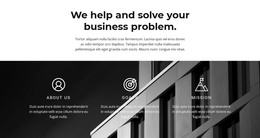
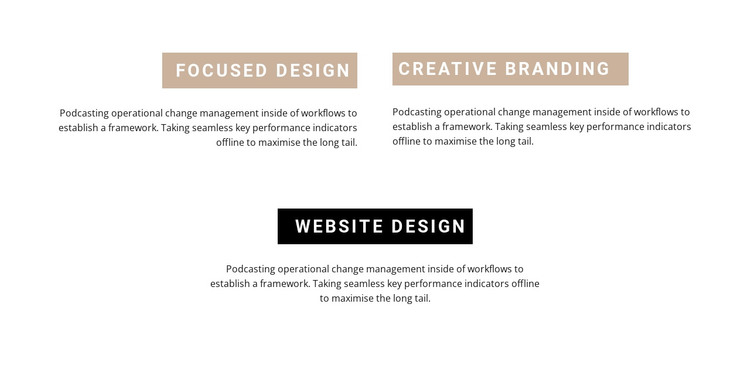
The three labeled areas read as stable page content: Focused Design, Creative Branding, and Website Design each introduce a defined feature and its supporting paragraph. That makes the section suitable for a WordPress-oriented services or capabilities page where the content needs to remain visible as part of the page composition. The block does not depend on a time-based feed or a changing item stream; its value comes from the organized presentation of these three named areas.
The upper pair creates the first content group. Focused Design and Creative Branding appear side by side beneath tan title bands, allowing the page to present two related ideas together. Website Design occupies a centered position below them and uses a black band, giving the third item a separate visual emphasis. White uppercase headings, compact black paragraphs, and generous whitespace make the hierarchy clear without adding interactive controls. Alternating upper alignment and centered lower alignment further distinguish the content positions.
Inside a WordPress-managed site, this block can hold permanent services or benefits information while surrounding page content develops independently. The same visual section can support a focused capabilities page, a broader introduction to creative work, or a mid-page explanation before a later response area. WordPress can provide the wider publishing context, while this block contributes a self-contained three-item presentation whose labels, descriptions, colors, and arrangement remain easy to understand.
Customize with Nicepage
Open this ready-made template in the WordPress Website Builder and customize it visually in the Nicepage editor. Replace demo content, edit page sections, and adapt the design to your project without rebuilding the template from scratch.
Edit Template Offline
2. Create a new page or select existing
3. Click Add new block, search for id 236267 and click enter
Edit Template Online
Create Awesome Websites


Free Nicepage Builder
Keywords
Manage and Edit This Theme in WordPress
Customize and Install the WordPress Theme
Start with this ready-made theme instead of building the WordPress design from scratch. Customize its layout, content, typography, images, sections, and other design elements visually in Nicepage editor, then export and install the WordPress Theme, Plugin, and Pages on your WordPress site. The Nicepage WordPress Plugin lets you continue working with the site after installation.
Edit the Theme Directly in WordPress
After installation, you can edit the WordPress Theme directly in WordPress with the Nicepage WordPress Plugin. Use Site Style to customize site Colors, Fonts, Header, Footer, Blog, and Post Page Templates while working within your WordPress website.
Edit WordPress Pages Visually
Use the Nicepage WordPress Plugin to edit page content directly from the WordPress admin area. Open a WordPress Page with Nicepage and visually change its text, images, sections, and other page elements while continuing to manage the Page through WordPress.
WordPress Content and Theme Integration
Use the customized theme with WordPress Pages, Posts, Blog and Post Templates, menus, widgets, and other CMS-managed content. Shared theme elements such as Colors, Fonts, Header, Footer, Blog, and Post Page Templates can be managed as part of the overall site design, while WordPress provides the CMS environment for managing site content.
This workflow combines a ready-made WordPress Theme with visual customization, direct theme editing in WordPress, and continued content management through the Nicepage WordPress Plugin.