We build it better together WordPress Theme


Three Stable Service Entries Create a Publishable Page Section
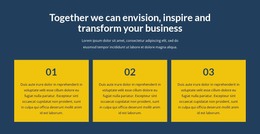
The centered “We Build It Better Together” heading gives the section a durable subject, and the three cards divide that subject into Industrial Services, Steel Fabrication, and Steel Erection. Each service entry has the same content pattern—numbered label, title, description, and Learn more action—so the section can remain visually consistent when its wording or imagery is adapted for a WordPress-managed page. The repeated pattern is especially useful for stable service information rather than a changing stream of editorial items.
The three-column arrangement keeps the related offerings visible together, allowing visitors to compare the service categories within one content area. Bright yellow establishes the section boundary, while the vivid purple cards separate each entry and give the page a recognizable visual rhythm. Rounded outlined buttons repeat the same action position, making the three entries feel connected without claiming that they share the same destination.
Within a broader WordPress project, this block can serve as permanent services-page content while other page sections handle company information, project examples, proof, or contact details. Nicepage supports managing page content through WordPress-oriented workflows, but the practical value here comes first from the block's own structured service model: three labeled offerings presented in one reusable visual section.
Customize with Nicepage
Open this ready-made template in the WordPress Website Builder and customize it visually in the Nicepage editor. Replace demo content, edit page sections, and adapt the design to your project without rebuilding the template from scratch.
Edit Template Offline
2. Create a new page or select existing
3. Click Add new block, search for id 229102 and click enter
Edit Template Online
Create Awesome Websites


Free Nicepage Builder
Keywords
Manage and Edit This Theme in WordPress
Customize and Install the WordPress Theme
Start with this ready-made theme instead of building the WordPress design from scratch. Customize its layout, content, typography, images, sections, and other design elements visually in Nicepage editor, then export and install the WordPress Theme, Plugin, and Pages on your WordPress site. The Nicepage WordPress Plugin lets you continue working with the site after installation.
Edit the Theme Directly in WordPress
After installation, you can edit the WordPress Theme directly in WordPress with the Nicepage WordPress Plugin. Use Site Style to customize site Colors, Fonts, Header, Footer, Blog, and Post Page Templates while working within your WordPress website.
Edit WordPress Pages Visually
Use the Nicepage WordPress Plugin to edit page content directly from the WordPress admin area. Open a WordPress Page with Nicepage and visually change its text, images, sections, and other page elements while continuing to manage the Page through WordPress.
WordPress Content and Theme Integration
Use the customized theme with WordPress Pages, Posts, Blog and Post Templates, menus, widgets, and other CMS-managed content. Shared theme elements such as Colors, Fonts, Header, Footer, Blog, and Post Page Templates can be managed as part of the overall site design, while WordPress provides the CMS environment for managing site content.
This workflow combines a ready-made WordPress Theme with visual customization, direct theme editing in WordPress, and continued content management through the Nicepage WordPress Plugin.