Flexible distance learning WordPress Theme


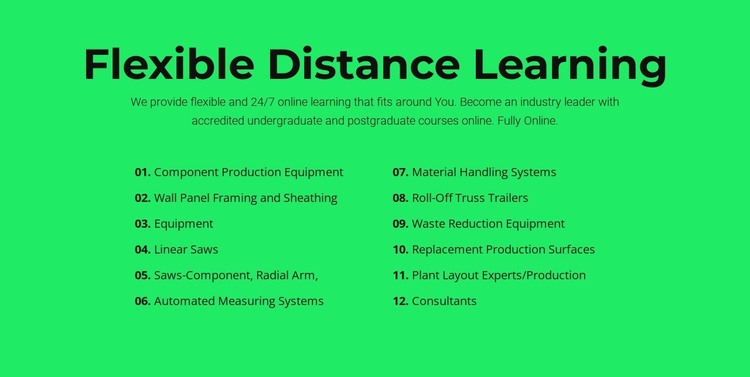
Equipment and Consulting Labels Form a Stable Page Content Area
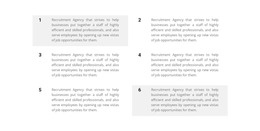
The twelve numbered entries give this section a stable content model for a WordPress-managed page: a defined set of offering labels arranged as two balanced columns. The list moves from production equipment and wall panel framing to automated measuring systems, material handling, waste reduction, replacement surfaces, and plant layout consultants. Above it, the centered “Flexible Distance Learning” heading and supporting paragraph introduce a learning-oriented message that mentions 24/7 access and undergraduate and postgraduate courses. The contrast between that introduction and the equipment-focused list is part of the section’s actual content, so it is best retained or revised deliberately rather than blurred into a generic services description.
Within a broader WordPress project, the block can function as a stable page-content region on a services, capabilities, or informational page. Its two-column arrangement gives a site editor a recognizable section boundary, while the numbered sequence helps visitors compare the twelve entries in a predictable order. The bright green background and black text also make the content area visually distinct from neighboring sections without requiring additional interaction. Because the block is static, its main value lies in presenting organized information consistently; other page content can provide navigation, deeper explanations, inquiry actions, or updated editorial material around it. This keeps the reusable section focused on its own message and offering list.
Customize with Nicepage
Open this ready-made template in the WordPress Website Builder and customize it visually in the Nicepage editor. Replace demo content, edit page sections, and adapt the design to your project without rebuilding the template from scratch.
Edit Template Offline
2. Create a new page or select existing
3. Click Add new block, search for id 2174015 and click enter
Edit Template Online
Create Awesome Websites


Free Nicepage Builder
Keywords
Manage and Edit This Theme in WordPress
Customize and Install the WordPress Theme
Start with this ready-made theme instead of building the WordPress design from scratch. Customize its layout, content, typography, images, sections, and other design elements visually in Nicepage editor, then export and install the WordPress Theme, Plugin, and Pages on your WordPress site. The Nicepage WordPress Plugin lets you continue working with the site after installation.
Edit the Theme Directly in WordPress
After installation, you can edit the WordPress Theme directly in WordPress with the Nicepage WordPress Plugin. Use Site Style to customize site Colors, Fonts, Header, Footer, Blog, and Post Page Templates while working within your WordPress website.
Edit WordPress Pages Visually
Use the Nicepage WordPress Plugin to edit page content directly from the WordPress admin area. Open a WordPress Page with Nicepage and visually change its text, images, sections, and other page elements while continuing to manage the Page through WordPress.
WordPress Content and Theme Integration
Use the customized theme with WordPress Pages, Posts, Blog and Post Templates, menus, widgets, and other CMS-managed content. Shared theme elements such as Colors, Fonts, Header, Footer, Blog, and Post Page Templates can be managed as part of the overall site design, while WordPress provides the CMS environment for managing site content.
This workflow combines a ready-made WordPress Theme with visual customization, direct theme editing in WordPress, and continued content management through the Nicepage WordPress Plugin.