Business staff WordPress Theme


Two Staff Profiles as Stable Page Content
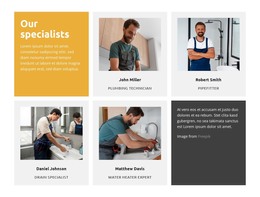
The paired cards turn the block into a compact area for permanent team information. Mike Hudson and Nick Perry are each represented by a portrait, a visible name, and supporting biographical copy. Because these elements are grouped inside their respective image panels, the section can communicate who each person is without relying on a separate staff directory or a larger card grid. The equal-width columns also give the two profiles a balanced relationship within the page.
For a WordPress-managed page, this block can function as stable team content that remains visually consistent while other site material develops around it. It is suited to a services, about, or company-information context where visitors need a concise introduction to people connected with the organization. The block contributes that focused content region; the broader WordPress project supplies the surrounding page and publishing environment.
The overlay treatment gives the profiles their main visual identity. Pale translucent panels create a readable surface over the portraits, while bold dark names and smaller centered supporting text establish a simple hierarchy. The differing overlay positions add movement to the otherwise repeated row: the left card places its text lower and the right card higher. This relationship makes the section distinctive without introducing sliders, tabs, or other interaction beyond its static card presentation.
Customize with Nicepage
Open this ready-made template in the WordPress Website Builder and customize it visually in the Nicepage editor. Replace demo content, edit page sections, and adapt the design to your project without rebuilding the template from scratch.
Edit Template Offline
2. Create a new page or select existing
3. Click Add new block, search for id 1966562 and click enter
Edit Template Online
Create Awesome Websites


Free Nicepage Builder
Keywords
Manage and Edit This Theme in WordPress
Customize and Install the WordPress Theme
Start with this ready-made theme instead of building the WordPress design from scratch. Customize its layout, content, typography, images, sections, and other design elements visually in Nicepage editor, then export and install the WordPress Theme, Plugin, and Pages on your WordPress site. The Nicepage WordPress Plugin lets you continue working with the site after installation.
Edit the Theme Directly in WordPress
After installation, you can edit the WordPress Theme directly in WordPress with the Nicepage WordPress Plugin. Use Site Style to customize site Colors, Fonts, Header, Footer, Blog, and Post Page Templates while working within your WordPress website.
Edit WordPress Pages Visually
Use the Nicepage WordPress Plugin to edit page content directly from the WordPress admin area. Open a WordPress Page with Nicepage and visually change its text, images, sections, and other page elements while continuing to manage the Page through WordPress.
WordPress Content and Theme Integration
Use the customized theme with WordPress Pages, Posts, Blog and Post Templates, menus, widgets, and other CMS-managed content. Shared theme elements such as Colors, Fonts, Header, Footer, Blog, and Post Page Templates can be managed as part of the overall site design, while WordPress provides the CMS environment for managing site content.
This workflow combines a ready-made WordPress Theme with visual customization, direct theme editing in WordPress, and continued content management through the Nicepage WordPress Plugin.