Digital studio services WordPress Theme


Named Service Content With a Stable Page-Section Pattern
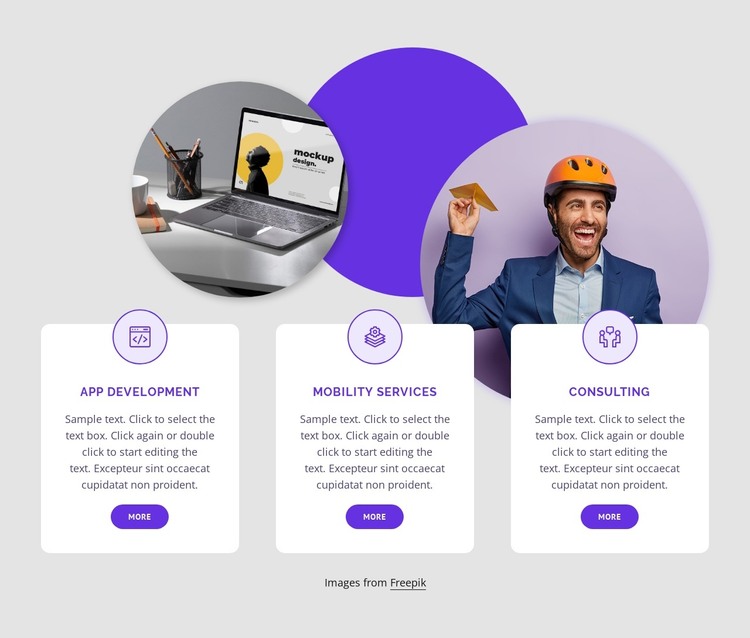
The service labels give this block a clear page-content role in a WordPress-oriented project. App Development, Mobility Services, and Consulting are separate informational units, each supported by a paragraph and a “more” link for further detail. That structure suits a stable services area where the page needs to communicate several capabilities without combining them into one undifferentiated text column.
The repeated card design helps preserve that meaning as the wider site grows. Every offering uses a circular outlined icon, centered typography, and a white rounded surface, so the three units remain visually related even though their labels differ. The horizontal row makes comparison immediate, while the overlapping circular imagery and purple circle provide a recognizable visual frame behind the content. Purple action links connect the next-step cue to the decorative accent without introducing a separate interaction pattern; the block is static apart from its links.
In a WordPress-managed page, this section can hold permanent service information while other content areas handle deeper descriptions, project examples, editorial material, or contact details. The block remains one reusable visual section rather than a complete theme or site. Its value lies in giving the page a consistent, publishable arrangement for three capabilities, with enough separation for each item to be edited or expanded within the surrounding project.
Customize with Nicepage
Open this ready-made template in the WordPress Website Builder and customize it visually in the Nicepage editor. Replace demo content, edit page sections, and adapt the design to your project without rebuilding the template from scratch.
Edit Template Offline
2. Create a new page or select existing
3. Click Add new block, search for id 1768235 and click enter
Edit Template Online
Create Awesome Websites


Free Nicepage Builder
Keywords
Manage and Edit This Theme in WordPress
Customize and Install the WordPress Theme
Start with this ready-made theme instead of building the WordPress design from scratch. Customize its layout, content, typography, images, sections, and other design elements visually in Nicepage editor, then export and install the WordPress Theme, Plugin, and Pages on your WordPress site. The Nicepage WordPress Plugin lets you continue working with the site after installation.
Edit the Theme Directly in WordPress
After installation, you can edit the WordPress Theme directly in WordPress with the Nicepage WordPress Plugin. Use Site Style to customize site Colors, Fonts, Header, Footer, Blog, and Post Page Templates while working within your WordPress website.
Edit WordPress Pages Visually
Use the Nicepage WordPress Plugin to edit page content directly from the WordPress admin area. Open a WordPress Page with Nicepage and visually change its text, images, sections, and other page elements while continuing to manage the Page through WordPress.
WordPress Content and Theme Integration
Use the customized theme with WordPress Pages, Posts, Blog and Post Templates, menus, widgets, and other CMS-managed content. Shared theme elements such as Colors, Fonts, Header, Footer, Blog, and Post Page Templates can be managed as part of the overall site design, while WordPress provides the CMS environment for managing site content.
This workflow combines a ready-made WordPress Theme with visual customization, direct theme editing in WordPress, and continued content management through the Nicepage WordPress Plugin.