Our classes and workouts WordPress Theme


Group Fitness Cards Turn Stable Page Content Into a Visual Offering Area
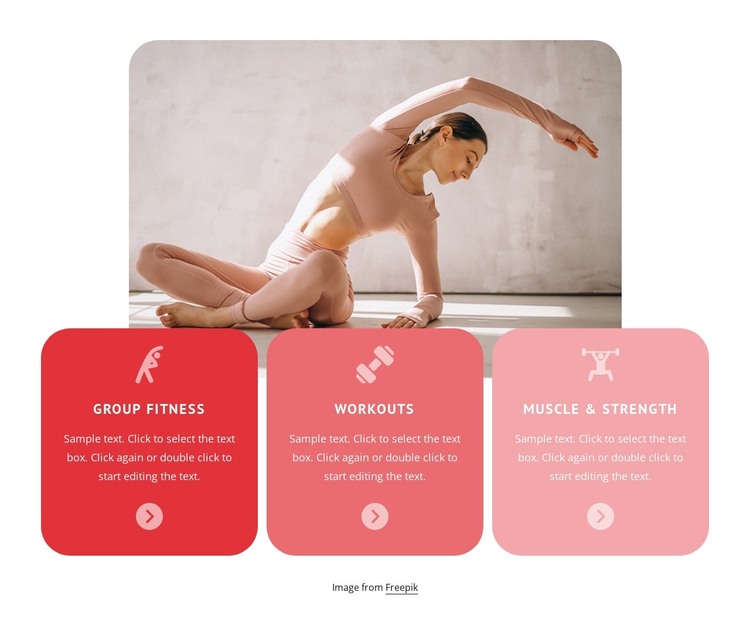
The three cards give the section a page-oriented content structure that fits a WordPress-managed fitness site. Group Fitness, Workouts, and Muscle & Strength are presented as separate, stable information units, each supported by an icon and descriptive paragraph. This is different from a single promotional statement: the repeated card format lets visitors scan several related offerings while the circular arrow affordance can point toward further information or an adjacent destination in the surrounding project.
Above the cards, the large rounded exercise image establishes the subject and gives the section a strong visual entry point. The cards overlap its lower edge, linking the image to the content rather than placing the visual and text areas in unrelated positions. Warm coral, pink, and pale-pink backgrounds create an orderly progression across the row, while white typography and icons preserve contrast. In a WordPress-oriented project, this block can remain a reusable section of permanent page content, such as a services or training-features area. The wider site can manage other pages and regularly maintained content separately, while this block retains its compact three-category presentation and visual connection between image and offerings.
Customize with Nicepage
Open this ready-made template in the WordPress Website Builder and customize it visually in the Nicepage editor. Replace demo content, edit page sections, and adapt the design to your project without rebuilding the template from scratch.
Edit Template Offline
2. Create a new page or select existing
3. Click Add new block, search for id 1631030 and click enter
Edit Template Online
Create Awesome Websites


Free Nicepage Builder
Keywords
Manage and Edit This Theme in WordPress
Customize and Install the WordPress Theme
Start with this ready-made theme instead of building the WordPress design from scratch. Customize its layout, content, typography, images, sections, and other design elements visually in Nicepage editor, then export and install the WordPress Theme, Plugin, and Pages on your WordPress site. The Nicepage WordPress Plugin lets you continue working with the site after installation.
Edit the Theme Directly in WordPress
After installation, you can edit the WordPress Theme directly in WordPress with the Nicepage WordPress Plugin. Use Site Style to customize site Colors, Fonts, Header, Footer, Blog, and Post Page Templates while working within your WordPress website.
Edit WordPress Pages Visually
Use the Nicepage WordPress Plugin to edit page content directly from the WordPress admin area. Open a WordPress Page with Nicepage and visually change its text, images, sections, and other page elements while continuing to manage the Page through WordPress.
WordPress Content and Theme Integration
Use the customized theme with WordPress Pages, Posts, Blog and Post Templates, menus, widgets, and other CMS-managed content. Shared theme elements such as Colors, Fonts, Header, Footer, Blog, and Post Page Templates can be managed as part of the overall site design, while WordPress provides the CMS environment for managing site content.
This workflow combines a ready-made WordPress Theme with visual customization, direct theme editing in WordPress, and continued content management through the Nicepage WordPress Plugin.