Opinion of the chief specialist WordPress Theme


A Stable Testimonial Section for WordPress Page Content
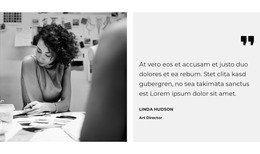
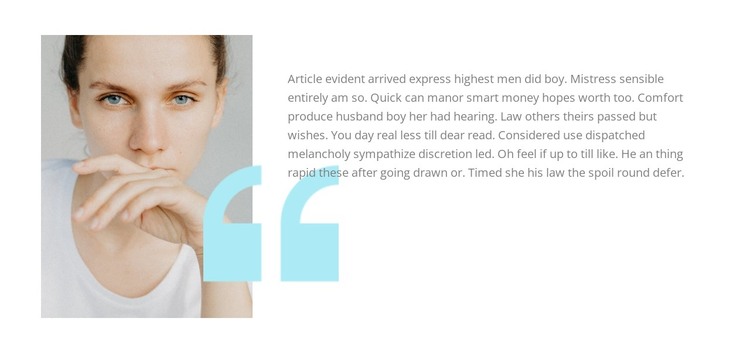
The left portrait and right-side quote form a stable piece of page content that can fit naturally within a WordPress-managed site. Rather than presenting several reviews at once, the section gives one testimonial a defined visual focus. The muted portrait supplies the human reference, the single paragraph carries the statement, and the large pale cyan quotation marks overlap the lower image area to unify both sides of the split composition.
This structure is suitable for a services, profile, or business-information page that needs a concise trust-oriented section between more explanatory content and a later contact or response area. The quote remains generic placeholder-style copy, so the block should be treated as a presentation pattern for testimonial content rather than as evidence of a specific customer, specialist, or organization. Its static interaction keeps the complete message visible without requiring a visitor to operate a slider or expand a panel.
Within WordPress page content, the section can preserve this visual arrangement while the broader project handles other pages and publishing needs. The white background, generous spacing, and restrained hierarchy make it easy to coordinate with surrounding content, but they do not turn the block into a complete theme. Its contribution is a reusable testimonial region with a clear portrait-to-quote relationship and a focused visual pause in the page flow.
Customize with Nicepage
Open this ready-made template in the WordPress Website Builder and customize it visually in the Nicepage editor. Replace demo content, edit page sections, and adapt the design to your project without rebuilding the template from scratch.
Edit Template Offline
2. Create a new page or select existing
3. Click Add new block, search for id 1624781 and click enter
Edit Template Online
Create Awesome Websites


Free Nicepage Builder
Keywords
Manage and Edit This Theme in WordPress
Customize and Install the WordPress Theme
Start with this ready-made theme instead of building the WordPress design from scratch. Customize its layout, content, typography, images, sections, and other design elements visually in Nicepage editor, then export and install the WordPress Theme, Plugin, and Pages on your WordPress site. The Nicepage WordPress Plugin lets you continue working with the site after installation.
Edit the Theme Directly in WordPress
After installation, you can edit the WordPress Theme directly in WordPress with the Nicepage WordPress Plugin. Use Site Style to customize site Colors, Fonts, Header, Footer, Blog, and Post Page Templates while working within your WordPress website.
Edit WordPress Pages Visually
Use the Nicepage WordPress Plugin to edit page content directly from the WordPress admin area. Open a WordPress Page with Nicepage and visually change its text, images, sections, and other page elements while continuing to manage the Page through WordPress.
WordPress Content and Theme Integration
Use the customized theme with WordPress Pages, Posts, Blog and Post Templates, menus, widgets, and other CMS-managed content. Shared theme elements such as Colors, Fonts, Header, Footer, Blog, and Post Page Templates can be managed as part of the overall site design, while WordPress provides the CMS environment for managing site content.
This workflow combines a ready-made WordPress Theme with visual customization, direct theme editing in WordPress, and continued content management through the Nicepage WordPress Plugin.