
Login form web design WordPress Theme


Login Controls Form Stable WordPress Page Content
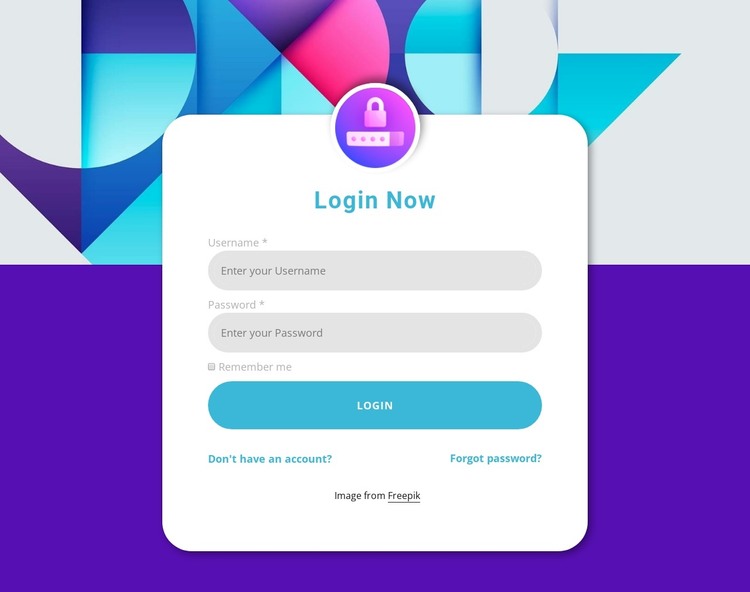
The content model reads as a permanent account-access region rather than a stream of dated editorial material. “Login Now” identifies the purpose, username and password fields collect the core credentials, and the remember-me checkbox provides an optional choice before the blue Login action. The account creation and password recovery links complete the surrounding content logic by supporting visitors who are not yet registered or who cannot recall their password.
The centered panel gives this information a consistent visual container within a WordPress-managed page. Its white rounded surface and soft shadow sit over the colorful geometric image, while the circular lock icon provides a recognizable sign for the authentication area. Blue heading and button treatments connect the visual hierarchy, and light-gray controls keep the form fields subordinate to the main action.
In a WordPress Theme context, the section can serve as reusable page content within the broader theme and site structure. The Nicepage WordPress workflow supports editing page content through the plugin, but that product capability does not mean this particular block is a complete theme. Its practical role is narrower and more concrete: preserve one account-access layout while the surrounding WordPress project manages other pages, content areas, and site-level functions. The section can therefore remain visually consistent wherever that login role is needed.
Customize with Nicepage
Open this ready-made template in the WordPress Website Builder and customize it visually in the Nicepage editor. Replace demo content, edit page sections, and adapt the design to your project without rebuilding the template from scratch.
Edit Template Offline
2. Create a new page or select existing
3. Click Add new block, search for id 1473845 and click enter
Edit Template Online
Create Awesome Websites


Free Nicepage Builder
Keywords
Manage and Edit This Theme in WordPress
Customize and Install the WordPress Theme
Start with this ready-made theme instead of building the WordPress design from scratch. Customize its layout, content, typography, images, sections, and other design elements visually in Nicepage editor, then export and install the WordPress Theme, Plugin, and Pages on your WordPress site. The Nicepage WordPress Plugin lets you continue working with the site after installation.
Edit the Theme Directly in WordPress
After installation, you can edit the WordPress Theme directly in WordPress with the Nicepage WordPress Plugin. Use Site Style to customize site Colors, Fonts, Header, Footer, Blog, and Post Page Templates while working within your WordPress website.
Edit WordPress Pages Visually
Use the Nicepage WordPress Plugin to edit page content directly from the WordPress admin area. Open a WordPress Page with Nicepage and visually change its text, images, sections, and other page elements while continuing to manage the Page through WordPress.
WordPress Content and Theme Integration
Use the customized theme with WordPress Pages, Posts, Blog and Post Templates, menus, widgets, and other CMS-managed content. Shared theme elements such as Colors, Fonts, Header, Footer, Blog, and Post Page Templates can be managed as part of the overall site design, while WordPress provides the CMS environment for managing site content.
This workflow combines a ready-made WordPress Theme with visual customization, direct theme editing in WordPress, and continued content management through the Nicepage WordPress Plugin.
