Grid repeater with gradient background WordPress Theme


Four Stable Content Units for a WordPress-Managed Page
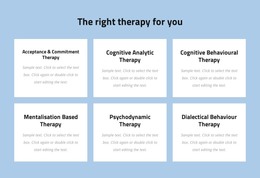
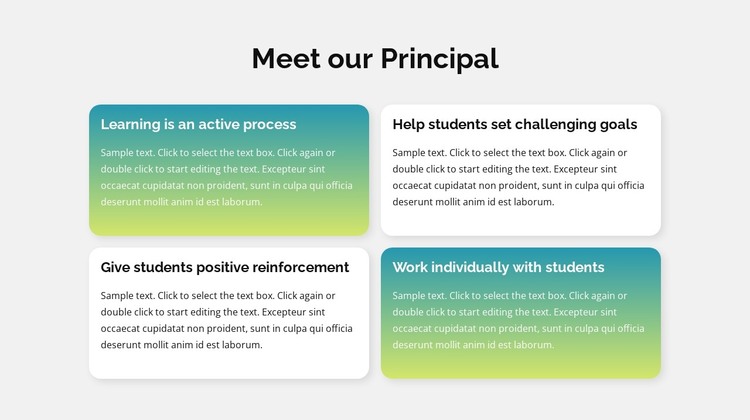
The four cards turn the “Meet our Principal” section into a focused area of permanent page content rather than a stream of unrelated paragraphs. The headings—“Learning is an active process,” “Help students set challenging goals,” “Give students positive reinforcement,” and “Work individually with students”—give a WordPress-managed page four clear editorial units to present. Each heading stays paired with its supporting paragraph, preserving the meaning of the repeated card structure when the section is adapted to a wider page.
The grid places two cards across each of two rows, producing a compact arrangement that can sit alongside other page content. Two gradient cards and two white cards create alternating emphasis, while the common rounded corners, soft shadows, and left-aligned text keep the visual treatment coherent. The light gray section background frames the group and helps it read as one recognizable page region. Because the interaction is static, visitors move through the content by scanning the heading and card sequence rather than using tabs, sliders, or expanding controls.
In a WordPress-oriented project, this block can remain a stable educational or school-principles section within a broader page while other CMS-managed content develops around it. The section does not need to carry the role of a complete theme; its contribution is the organized presentation of four related principles. Nicepage’s WordPress workflow can support visual page content in the wider site, while this block retains its own heading, repeated items, and distinctive card styling.
Customize with Nicepage
Open this ready-made template in the WordPress Website Builder and customize it visually in the Nicepage editor. Replace demo content, edit page sections, and adapt the design to your project without rebuilding the template from scratch.
Edit Template Offline
2. Create a new page or select existing
3. Click Add new block, search for id 1285642 and click enter
Edit Template Online
Create Awesome Websites


Free Nicepage Builder
Keywords
Manage and Edit This Theme in WordPress
Customize and Install the WordPress Theme
Start with this ready-made theme instead of building the WordPress design from scratch. Customize its layout, content, typography, images, sections, and other design elements visually in Nicepage editor, then export and install the WordPress Theme, Plugin, and Pages on your WordPress site. The Nicepage WordPress Plugin lets you continue working with the site after installation.
Edit the Theme Directly in WordPress
After installation, you can edit the WordPress Theme directly in WordPress with the Nicepage WordPress Plugin. Use Site Style to customize site Colors, Fonts, Header, Footer, Blog, and Post Page Templates while working within your WordPress website.
Edit WordPress Pages Visually
Use the Nicepage WordPress Plugin to edit page content directly from the WordPress admin area. Open a WordPress Page with Nicepage and visually change its text, images, sections, and other page elements while continuing to manage the Page through WordPress.
WordPress Content and Theme Integration
Use the customized theme with WordPress Pages, Posts, Blog and Post Templates, menus, widgets, and other CMS-managed content. Shared theme elements such as Colors, Fonts, Header, Footer, Blog, and Post Page Templates can be managed as part of the overall site design, while WordPress provides the CMS environment for managing site content.
This workflow combines a ready-made WordPress Theme with visual customization, direct theme editing in WordPress, and continued content management through the Nicepage WordPress Plugin.