
Countdown timer on background WordPress Theme


The Email Form Makes This a Stable Notification Content Area
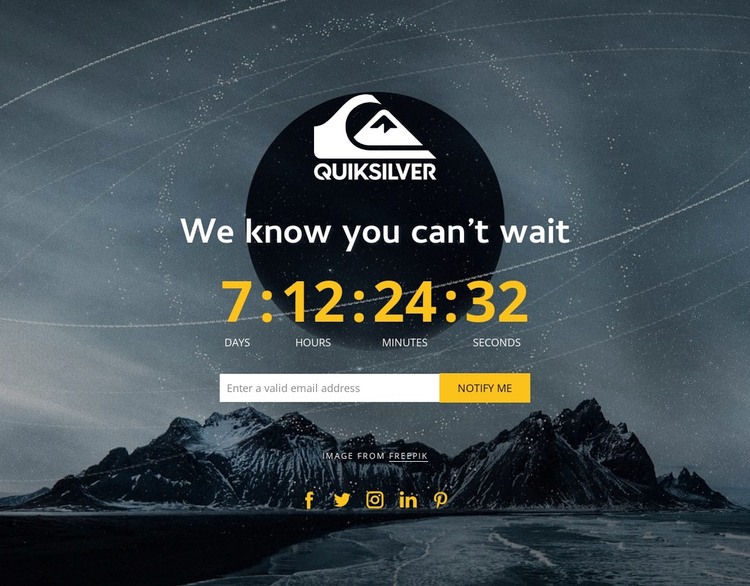
The heading and countdown read as durable page content for a waiting, launch, or event-notification section. The four time units provide the status information, while the email subscription form and “Notify Me” action give the block a clear way to collect interest. In a WordPress-managed project, this content can remain part of a stable page while the wider site handles other sections and regularly managed material around it.
The visual arrangement reinforces that page-oriented role. A logo overlaps the upper center, the notification message and timer occupy the central stack, and five social icon links appear beneath the form as supporting connections. The full-width mountain and night-sky background supplies a recognizable visual container, with white typography and yellow numerals separating the main message from the dark image. The image credit line remains attached to the section’s content.
This interpretation focuses on how the block can participate in publishable page content, not on treating it as a standalone WordPress Theme. It may suit a permanent announcement or temporary campaign area depending on the surrounding project, while the section itself remains reusable. The direct response is already visible through “Notify Me,” so the block can sit naturally near other page content that explains the event or project in more detail.
Customize with Nicepage
Open this ready-made template in the WordPress Website Builder and customize it visually in the Nicepage editor. Replace demo content, edit page sections, and adapt the design to your project without rebuilding the template from scratch.
Edit Template Offline
2. Create a new page or select existing
3. Click Add new block, search for id 1155776 and click enter
Edit Template Online
Create Awesome Websites


Free Nicepage Builder
Keywords
Manage and Edit This Theme in WordPress
Customize and Install the WordPress Theme
Start with this ready-made theme instead of building the WordPress design from scratch. Customize its layout, content, typography, images, sections, and other design elements visually in Nicepage editor, then export and install the WordPress Theme, Plugin, and Pages on your WordPress site. The Nicepage WordPress Plugin lets you continue working with the site after installation.
Edit the Theme Directly in WordPress
After installation, you can edit the WordPress Theme directly in WordPress with the Nicepage WordPress Plugin. Use Site Style to customize site Colors, Fonts, Header, Footer, Blog, and Post Page Templates while working within your WordPress website.
Edit WordPress Pages Visually
Use the Nicepage WordPress Plugin to edit page content directly from the WordPress admin area. Open a WordPress Page with Nicepage and visually change its text, images, sections, and other page elements while continuing to manage the Page through WordPress.
WordPress Content and Theme Integration
Use the customized theme with WordPress Pages, Posts, Blog and Post Templates, menus, widgets, and other CMS-managed content. Shared theme elements such as Colors, Fonts, Header, Footer, Blog, and Post Page Templates can be managed as part of the overall site design, while WordPress provides the CMS environment for managing site content.
This workflow combines a ready-made WordPress Theme with visual customization, direct theme editing in WordPress, and continued content management through the Nicepage WordPress Plugin.
