Your brand deserves more WordPress Theme


The Services row turns three capabilities into stable page content
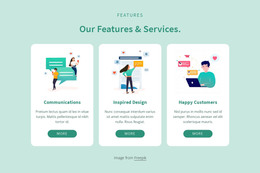
The “Services” heading and supporting paragraph establish a permanent informational context before the repeated content begins. Below them, “Visualize it,” “Create it,” and “Grow it” appear as three parallel cards rather than as a chronological sequence. Each card has the same internal relationship between a white icon area, a dark title, and smaller descriptive text, giving the three entries equal emphasis. The pale teal rounded surfaces reinforce that they belong to one service group, while the horizontal row makes the options easy to scan together.
In a WordPress-managed page, this block can function as a stable services or capabilities section within publishable page content. Its value is the clarity of the content pattern: one introductory message followed by three comparable entries that can be edited without changing the overall visual role of the section. Sample wording can be replaced with current descriptions, while the card titles, icon areas, spacing, and repeated structure continue to organize the information. The white background and generous separation above the cards also leave the section visually independent from neighboring page content. A broader WordPress project can place other sections around it for deeper explanations, proof, or contact information, while this block retains responsibility for the concise three-part service overview.
Customize with Nicepage
Open this ready-made template in the WordPress Website Builder and customize it visually in the Nicepage editor. Replace demo content, edit page sections, and adapt the design to your project without rebuilding the template from scratch.
Edit Template Offline
2. Create a new page or select existing
3. Click Add new block, search for id 1144355 and click enter
Edit Template Online
Create Awesome Websites


Free Nicepage Builder
Keywords
Manage and Edit This Theme in WordPress
Customize and Install the WordPress Theme
Start with this ready-made theme instead of building the WordPress design from scratch. Customize its layout, content, typography, images, sections, and other design elements visually in Nicepage editor, then export and install the WordPress Theme, Plugin, and Pages on your WordPress site. The Nicepage WordPress Plugin lets you continue working with the site after installation.
Edit the Theme Directly in WordPress
After installation, you can edit the WordPress Theme directly in WordPress with the Nicepage WordPress Plugin. Use Site Style to customize site Colors, Fonts, Header, Footer, Blog, and Post Page Templates while working within your WordPress website.
Edit WordPress Pages Visually
Use the Nicepage WordPress Plugin to edit page content directly from the WordPress admin area. Open a WordPress Page with Nicepage and visually change its text, images, sections, and other page elements while continuing to manage the Page through WordPress.
WordPress Content and Theme Integration
Use the customized theme with WordPress Pages, Posts, Blog and Post Templates, menus, widgets, and other CMS-managed content. Shared theme elements such as Colors, Fonts, Header, Footer, Blog, and Post Page Templates can be managed as part of the overall site design, while WordPress provides the CMS environment for managing site content.
This workflow combines a ready-made WordPress Theme with visual customization, direct theme editing in WordPress, and continued content management through the Nicepage WordPress Plugin.