Healthy way of eating food Template


Edit Template Offline
2. Create new page and search for id 78417
Edit Template Online
Create Awesome Websites


Free Nicepage Builder
Keywords
A Food-Led Choice for Recipes, Menu Promotion, and Healthy Living
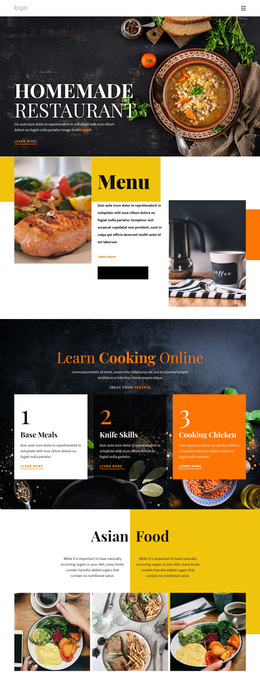
Breakfast photography is the design’s strongest carrier of meaning. The hero greeting and later image sections make the subject immediately recognizable, while the warm yellow accents keep the page cheerful and help separate major content groups. This makes the template worth considering when a project needs a visual presentation rather than a dense, text-first information page.
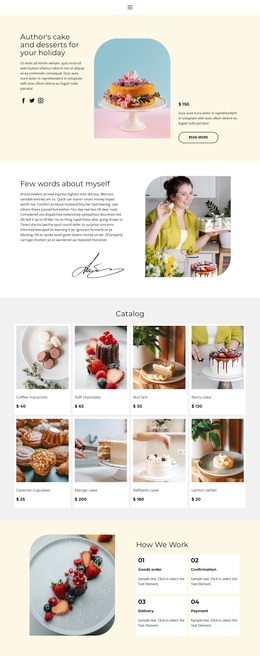
Its content coverage is also broader than a simple cafe introduction. The breakfast section accommodates recipes, diabetic, vegan recipes, and low-calorie categories, giving visitors several ways to interpret the food theme. A separate cafe food menu section adds a direct offering-oriented area, while the healthy-eating feature row and the two tip blocks support informational content around the menu. The relationship between these areas lets one design speak to both food discovery and healthy-lifestyle interest without requiring unrelated visual systems.
The closing breakfast image, social links, and dark footer provide a finished endpoint for the page. The HTML logo area and Home link add basic navigation evidence, although the preview places the strongest emphasis on the image-led content. Compared with a layout centered only on pricing, services, or a restaurant booking form, this option stands out through editorial breakfast imagery, category-based food topics, and a light morning presentation.
Customize with Nicepage
Open this ready-made template in the Template Builder and customize it visually in the Nicepage editor. Replace demo content, edit page sections, and adapt the design to your project without rebuilding the template from scratch.
Start With a Ready-Made Template
Choose a Design for a New Page
Use a ready-made template as a starting point instead of creating every page from a blank canvas. When adding a new page in Nicepage, browse available designs, compare different layouts, and choose an option that already fits the general purpose and visual direction of your project.
Browse Different Page Designs
Explore Page Designs using search, thematic categories, Design Sets, and full-page previews. The collection includes layouts for different subjects and page purposes, making it easier to compare alternatives before selecting a design to customize.
Customize the Selected Template
After choosing a design, create the page and continue editing it visually in Nicepage. Replace the demo content, adjust images, typography, colors, sections, and other elements, and adapt the ready-made layout to your own content instead of rebuilding the design from the beginning.
Explore More Design Directions
If the first option does not match your project closely enough, return to the design collection and compare other templates before committing to a layout. This makes the template library useful not only for faster page creation, but also for exploring different visual approaches and finding a suitable starting point for a new project.
This workflow gives you access to a broad collection of ready-made designs that can be selected, compared, and customized according to the needs of each new page or project.