Poetry Book and Author Template


Edit Template Offline
2. Create new page and search for id 6660182
Edit Template Online
Create Awesome Websites


Free Nicepage Builder
Keywords
Named Poems and Literary Offerings Give the Portfolio Its Character
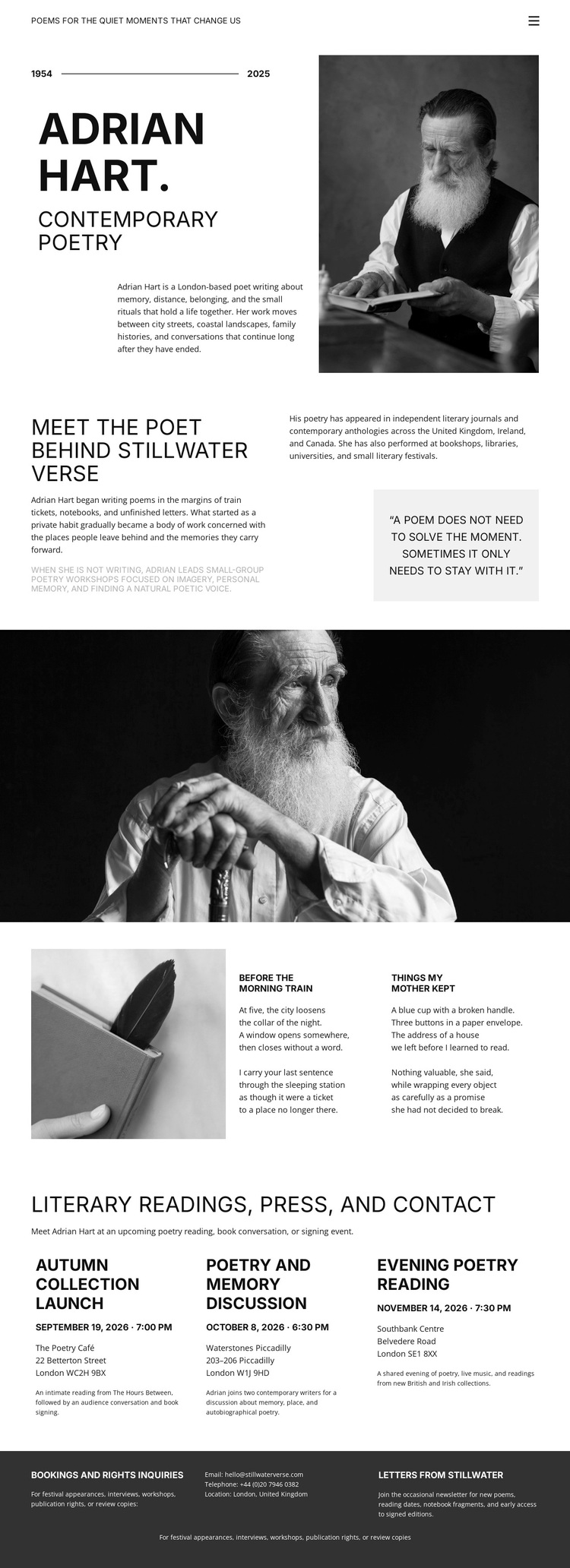
The design’s strongest point of distinction is the way it combines an author profile with actual literary content areas. The opening introduces contemporary poetry through a poet name, portrait, date line, and biography, while the following Meet the Poet section adds a quotation that gives the profile a more personal and reflective register. This makes the page feel centered on a writer’s identity rather than on a generic portfolio grid.
The two named excerpts, Before the Morning Train and Things My Mother Kept, give the layout a specific reading experience. They sit beside a writing-themed image, so the page connects the physical act of writing with selected work instead of using images only as decoration. The later Literary Readings, Press, and Contact section adds breadth through three aligned offerings: Autumn Collection, Poetry and Memory Discussions, and Evening Poetry Reading. These items show that the design can accommodate collections, conversations, and live literary activity within one visual direction.
The monochrome editorial palette, serif and sans-serif typography, uppercase headings, and generous whitespace reinforce that choice. Together, the content coverage and visual restraint suit projects that need literary identity, selected writing, and public-facing events to coexist without a busy promotional treatment. The dark footer adds practical booking and notes information while preserving the quiet, archival character that makes this design recognizable.
Customize with Nicepage
Open this ready-made template in the Template Builder and customize it visually in the Nicepage editor. Replace demo content, edit page sections, and adapt the design to your project without rebuilding the template from scratch.
Start With a Ready-Made Template
Choose a Design for a New Page
Use a ready-made template as a starting point instead of creating every page from a blank canvas. When adding a new page in Nicepage, browse available designs, compare different layouts, and choose an option that already fits the general purpose and visual direction of your project.
Browse Different Page Designs
Explore Page Designs using search, thematic categories, Design Sets, and full-page previews. The collection includes layouts for different subjects and page purposes, making it easier to compare alternatives before selecting a design to customize.
Customize the Selected Template
After choosing a design, create the page and continue editing it visually in Nicepage. Replace the demo content, adjust images, typography, colors, sections, and other elements, and adapt the ready-made layout to your own content instead of rebuilding the design from the beginning.
Explore More Design Directions
If the first option does not match your project closely enough, return to the design collection and compare other templates before committing to a layout. This makes the template library useful not only for faster page creation, but also for exploring different visual approaches and finding a suitable starting point for a new project.
This workflow gives you access to a broad collection of ready-made designs that can be selected, compared, and customized according to the needs of each new page or project.