Read opinions about us Template


A Portrait-Led Alternative to a Conventional Review Grid
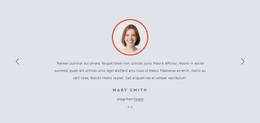
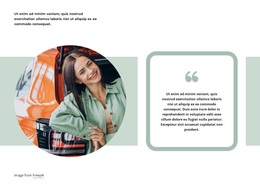
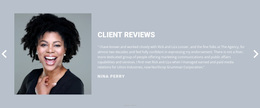
The strongest reason to choose this block is the combination of one clearly presented opinion with a visually distinctive portrait treatment. Instead of distributing several reviews across equal cards, the design gives one testimonial the full attention of the section. The portrait sits against a vivid blue rectangular accent, creating a strong left-side anchor, while the right side uses the “Client Reviews” heading, quotation-mark icon, compact endorsement, and uppercase name to guide the reader through the message.
That combination gives the block a useful editorial quality. It can introduce a single client perspective when the surrounding page needs depth and attribution rather than a list of short ratings. The generous whitespace keeps the image and quote balanced, and the horizontal alignment makes the relationship between reviewer and opinion immediately understandable. Since the interaction is static, the section communicates its complete message at once instead of asking visitors to rotate through hidden items.
This design is particularly suitable when a page needs a focused proof moment with a strong visual identity. The blue accent can also provide a clear color cue between more neutral sections, while the large quotation mark reinforces the testimonial genre before the quote is read. The result is a specific section choice for presenting one endorsement with more presence than a standard text-only review.
Customize with Nicepage
Open this ready-made template in the Template Builder and customize it visually in the Nicepage editor. Replace demo content, edit page sections, and adapt the design to your project without rebuilding the template from scratch.
Edit Template Offline
2. Create a new page or select existing
3. Click Add new block, search for id 66411 and click enter
Edit Template Online
Create Awesome Websites


Free Nicepage Builder
Keywords
Start With a Ready-Made Template
Choose a Design for a New Page
Use a ready-made template as a starting point instead of creating every page from a blank canvas. When adding a new page in Nicepage, browse available designs, compare different layouts, and choose an option that already fits the general purpose and visual direction of your project.
Browse Different Page Designs
Explore Page Designs using search, thematic categories, Design Sets, and full-page previews. The collection includes layouts for different subjects and page purposes, making it easier to compare alternatives before selecting a design to customize.
Customize the Selected Template
After choosing a design, create the page and continue editing it visually in Nicepage. Replace the demo content, adjust images, typography, colors, sections, and other elements, and adapt the ready-made layout to your own content instead of rebuilding the design from the beginning.
Explore More Design Directions
If the first option does not match your project closely enough, return to the design collection and compare other templates before committing to a layout. This makes the template library useful not only for faster page creation, but also for exploring different visual approaches and finding a suitable starting point for a new project.
This workflow gives you access to a broad collection of ready-made designs that can be selected, compared, and customized according to the needs of each new page or project.