Monetize Your Audience Template


Edit Template Offline
2. Create new page and search for id 6614421
Edit Template Online
Create Awesome Websites


Free Nicepage Builder
Keywords
Three Illustrated Steps Give the Affiliate Offer a Distinctive Shape
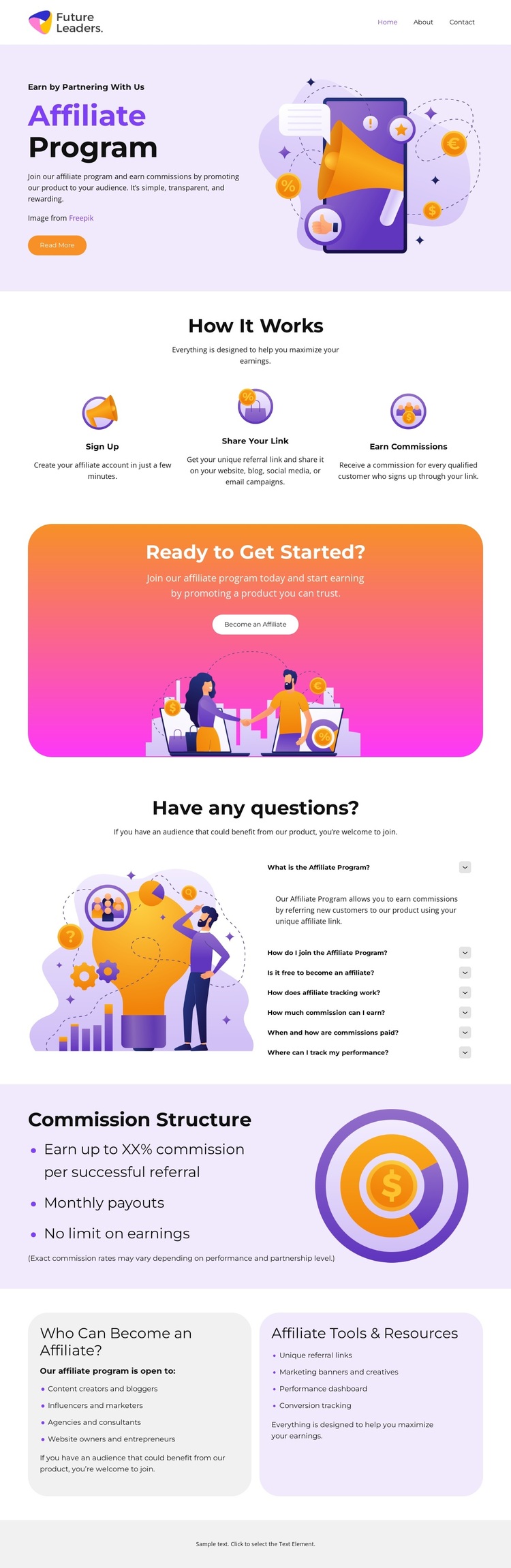
The design places the affiliate opportunity at the center of the page instead of treating it as a generic business landing layout. The opening Affiliate Program hero pairs introductory copy with a large promotional illustration and a Join the Program button, immediately establishing both subject and intended audience. That visual introduction is followed by three illustrated steps that explain the relationship between participation and outcome: Sign Up, Share Your Link, and Earn Commissions.
The page is worth considering when a project needs more than a short recruitment message. A dedicated Commission Structure section gives payment-related information its own visual and content area, while the seven-question accordion creates room for practical clarification without overwhelming the main path. Two rounded cards extend the coverage by separating who can become an affiliate from the tools and resources available to participants.
The bright pastel palette, playful characters, generous spacing, and repeated rounded shapes reinforce an approachable tone for referral marketers and potential partners. The Ready to Get Started? panel adds a second invitation through the Become an Affiliate button, giving the design a recognizable response moment after the process explanation. Its strongest distinction is the combination of program mechanics, commission context, questions, and resources in one friendly visual direction.
Customize with Nicepage
Open this ready-made template in the Template Builder and customize it visually in the Nicepage editor. Replace demo content, edit page sections, and adapt the design to your project without rebuilding the template from scratch.
Start With a Ready-Made Template
Choose a Design for a New Page
Use a ready-made template as a starting point instead of creating every page from a blank canvas. When adding a new page in Nicepage, browse available designs, compare different layouts, and choose an option that already fits the general purpose and visual direction of your project.
Browse Different Page Designs
Explore Page Designs using search, thematic categories, Design Sets, and full-page previews. The collection includes layouts for different subjects and page purposes, making it easier to compare alternatives before selecting a design to customize.
Customize the Selected Template
After choosing a design, create the page and continue editing it visually in Nicepage. Replace the demo content, adjust images, typography, colors, sections, and other elements, and adapt the ready-made layout to your own content instead of rebuilding the design from the beginning.
Explore More Design Directions
If the first option does not match your project closely enough, return to the design collection and compare other templates before committing to a layout. This makes the template library useful not only for faster page creation, but also for exploring different visual approaches and finding a suitable starting point for a new project.
This workflow gives you access to a broad collection of ready-made designs that can be selected, compared, and customized according to the needs of each new page or project.