Ready for a Quiz Template



A Split Questionnaire With More Than a Single Form View
The design combines two qualities that are often handled separately: a sequential questionnaire and a strong image-led composition. Four hiring-related questions are presented across separate steps, with Yes and No checkbox choices keeping each response concise. Next and Back controls make the sequence explicit, and Submit provides a defined endpoint. This gives the section a clearer interaction pattern than a static group of fields shown all at once.
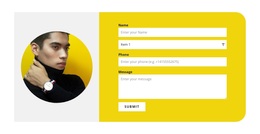
Visually, the white rounded card creates a concentrated response surface on the left. The bright blue background expands the section across the available width, while the person positioned on the right adds a clear counterweight to the form. The result is a compact horizontal split that gives the questionnaire presence without covering the card with decorative content. The image and card work as complementary regions rather than competing information panels.
As a ready-made block choice, this design is useful when a page needs visitors to answer a small set of screening questions while maintaining a more editorial visual direction than a plain form. It can suit a recruitment-oriented response stage or another structured questionnaire context, provided the wording is adapted to the project. The design's main distinction is the relationship between four-step interaction, simple checkbox decisions, and a balanced photographic presentation.
Customize with Nicepage
Open this ready-made template in the Template Builder and customize it visually in the Nicepage editor. Replace demo content, edit page sections, and adapt the design to your project without rebuilding the template from scratch.
Edit Template Offline
2. Create a new page or select existing
3. Click Add new block, search for id 6534172 and click enter
Edit Template Online
Create Awesome Websites


Free Nicepage Builder
Keywords
Start With a Ready-Made Template
Choose a Design for a New Page
Use a ready-made template as a starting point instead of creating every page from a blank canvas. When adding a new page in Nicepage, browse available designs, compare different layouts, and choose an option that already fits the general purpose and visual direction of your project.
Browse Different Page Designs
Explore Page Designs using search, thematic categories, Design Sets, and full-page previews. The collection includes layouts for different subjects and page purposes, making it easier to compare alternatives before selecting a design to customize.
Customize the Selected Template
After choosing a design, create the page and continue editing it visually in Nicepage. Replace the demo content, adjust images, typography, colors, sections, and other elements, and adapt the ready-made layout to your own content instead of rebuilding the design from the beginning.
Explore More Design Directions
If the first option does not match your project closely enough, return to the design collection and compare other templates before committing to a layout. This makes the template library useful not only for faster page creation, but also for exploring different visual approaches and finding a suitable starting point for a new project.
This workflow gives you access to a broad collection of ready-made designs that can be selected, compared, and customized according to the needs of each new page or project.