Plumbing Maintenance Guide Template


Four consistent cards offer a balanced alternative to a single review
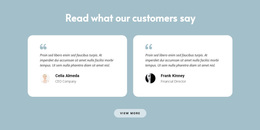
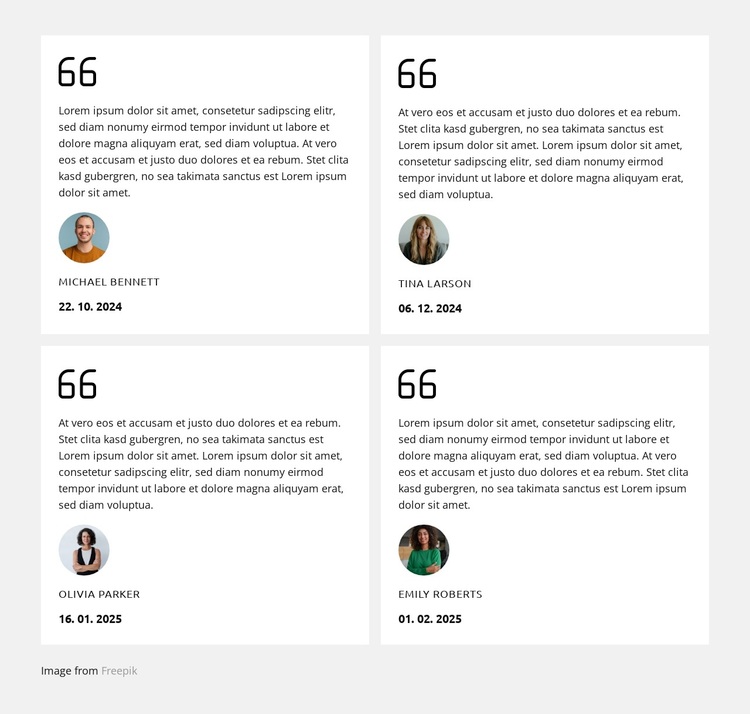
Four parallel testimonial cards distinguish this section from designs built around one large quotation or a dense vertical list. Each item combines the same useful content pattern: a decorative quote mark, a testimonial message, a circular portrait, an author name, and a date. Arranged in a two-column, two-row grid, the cards give a project several proof points without requiring a long continuous text area. The repeated structure also makes the block easy to compare with other testimonial layouts during section selection.
The visual balance comes from the relationship between the light gray section background and the white card surfaces. Generous spacing prevents the four items from merging into one panel, while the strong typographic hierarchy gives the quote priority over the supporting attribution. Circular portraits add a consistent image shape, and the quote marks create a recurring marker that helps visitors recognize the purpose of each card.
This option is especially suitable when a page needs multiple testimonial entries with equal visual importance. The static arrangement keeps the content visible together, so the section does not depend on carousel controls or hidden states. Its distinctive value is the combination of four-item coverage, repeated attribution structure, and a compact 2x2 footprint. The block remains one ready-made section, but it offers a specific design direction for organized, card-based social proof.
Customize with Nicepage
Open this ready-made template in the Template Builder and customize it visually in the Nicepage editor. Replace demo content, edit page sections, and adapt the design to your project without rebuilding the template from scratch.
Edit Template Offline
2. Create a new page or select existing
3. Click Add new block, search for id 6475621 and click enter
Edit Template Online
Create Awesome Websites


Free Nicepage Builder
Keywords
Start With a Ready-Made Block Design
Choose a Section Instead of Building From Scratch
Use a ready-made block as a starting point when a page needs a particular content function or visual arrangement. Nicepage Block Designs provide section-level options for introductions, services, galleries, testimonials, contact forms, pricing, text layouts, and other common page needs.
Compare Different Layout Directions
Blocks with the same function can still differ in image emphasis, number of items, column structure, typography, spacing, card treatment, interaction, and overall visual weight. Compare those concrete characteristics before choosing the section that best matches the surrounding page.
Customize the Selected Block
After adding a block, replace demo content, adjust images and text, refine colors and typography, and adapt individual elements while preserving the section's useful structure. If another design fits the content better, return to the Block Designs collection and compare alternatives rather than forcing one section to solve a different function.
This workflow makes a Block ID a ready-made section choice: one reusable design option that can be selected and customized as part of a larger page.