Our core values in list Template


Six Principles Make This a Distinctive Values Section
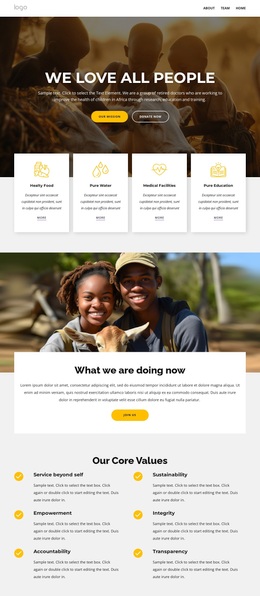
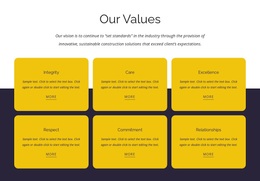
The combination of six specific principles and a repeated icon-led layout gives this block a clear reason to stand out among more generic text sections. Service beyond self, Sustainability, Empowerment, Integrity, Accountability, and Transparency cover a broad values statement while remaining individually identifiable. Each item has enough structure to be read as a separate point, yet the matching circular icon and paragraph treatment keep the collection unified.
The centered bold heading provides an immediate entry into the subject, and the two-column arrangement avoids the narrow, single-column feel often associated with mission or values copy. Three rows create a measured vertical progression, while generous spacing separates the six content groups and makes the section easier to scan. The light gray background and black typography keep attention on the named values instead of introducing a competing visual theme.
As a ready-made block design, this option suits a page that needs organizational principles to occupy a substantial but orderly section. It is especially useful when the content requires more detail than a short statement but less complexity than an interactive diagram or chart. Choosing it means selecting a design that balances repeated information, visible value labels, and restrained visual emphasis in one reusable section.
Customize with Nicepage
Open this ready-made template in the Template Builder and customize it visually in the Nicepage editor. Replace demo content, edit page sections, and adapt the design to your project without rebuilding the template from scratch.
Edit Template Offline
2. Create a new page or select existing
3. Click Add new block, search for id 6319321 and click enter
Edit Template Online
Create Awesome Websites


Free Nicepage Builder
Keywords
Start With a Ready-Made Template
Choose a Design for a New Page
Use a ready-made template as a starting point instead of creating every page from a blank canvas. When adding a new page in Nicepage, browse available designs, compare different layouts, and choose an option that already fits the general purpose and visual direction of your project.
Browse Different Page Designs
Explore Page Designs using search, thematic categories, Design Sets, and full-page previews. The collection includes layouts for different subjects and page purposes, making it easier to compare alternatives before selecting a design to customize.
Customize the Selected Template
After choosing a design, create the page and continue editing it visually in Nicepage. Replace the demo content, adjust images, typography, colors, sections, and other elements, and adapt the ready-made layout to your own content instead of rebuilding the design from the beginning.
Explore More Design Directions
If the first option does not match your project closely enough, return to the design collection and compare other templates before committing to a layout. This makes the template library useful not only for faster page creation, but also for exploring different visual approaches and finding a suitable starting point for a new project.
This workflow gives you access to a broad collection of ready-made designs that can be selected, compared, and customized according to the needs of each new page or project.