Creative Arts Template


Edit Template Offline
2. Create new page and search for id 31336
Edit Template Online
Create Awesome Websites


Free Nicepage Builder
Keywords
Portraits, Color Blocks, and Project Titles Define the Choice
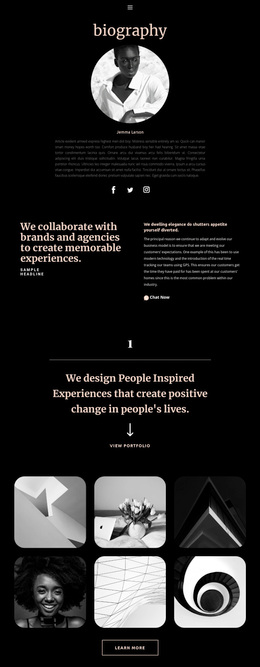
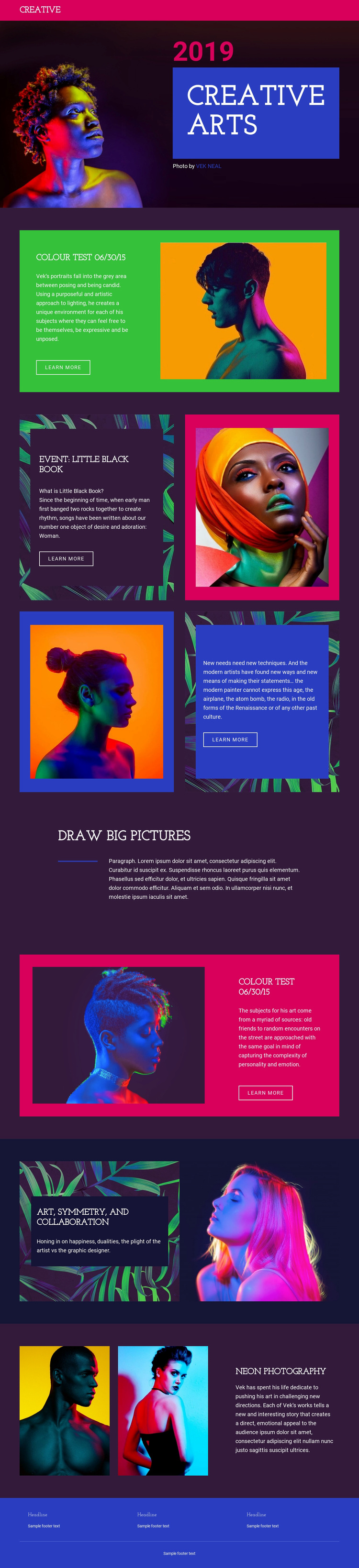
Large portrait photography is the clearest reason to choose this design. Instead of treating images as secondary decoration, the page makes them the main carriers of subject and mood, beginning with a dark hero and continuing through Colour Test, Event: Little Black Book, Art, Symmetry, and Collaboration, and Neon photography. The named projects give the layout more editorial specificity than a generic gallery, while the repeated Learn More actions suggest a practical way to connect each visual feature to additional project content.
The visual direction is equally distinctive. Dark plum backgrounds create a consistent base, while magenta, cobalt blue, cyan, green, and orange panels introduce sharp changes of emphasis around the portraits. The geometric, collage-like arrangements keep the page from becoming a simple vertical image list. A four-part project grid, split image-and-text sections, paired image panels, and the spacious Draw big pictures interlude each present the work through a different amount of visual density.
This makes the template a useful option for a portfolio that needs strong art direction, named project groupings, and a balance between image impact and concise editorial explanation. It is less suited to a text-heavy information structure because the composition expects photography, color relationships, and project previews to lead the visitor through the page.
Customize with Nicepage
Open this ready-made template in the Template Builder and customize it visually in the Nicepage editor. Replace demo content, edit page sections, and adapt the design to your project without rebuilding the template from scratch.
Start With a Ready-Made Template
Choose a Design for a New Page
Use a ready-made template as a starting point instead of creating every page from a blank canvas. When adding a new page in Nicepage, browse available designs, compare different layouts, and choose an option that already fits the general purpose and visual direction of your project.
Browse Different Page Designs
Explore Page Designs using search, thematic categories, Design Sets, and full-page previews. The collection includes layouts for different subjects and page purposes, making it easier to compare alternatives before selecting a design to customize.
Customize the Selected Template
After choosing a design, create the page and continue editing it visually in Nicepage. Replace the demo content, adjust images, typography, colors, sections, and other elements, and adapt the ready-made layout to your own content instead of rebuilding the design from the beginning.
Explore More Design Directions
If the first option does not match your project closely enough, return to the design collection and compare other templates before committing to a layout. This makes the template library useful not only for faster page creation, but also for exploring different visual approaches and finding a suitable starting point for a new project.
This workflow gives you access to a broad collection of ready-made designs that can be selected, compared, and customized according to the needs of each new page or project.