Professional team Template


Three Equal Profiles Create a Clear Team Presentation
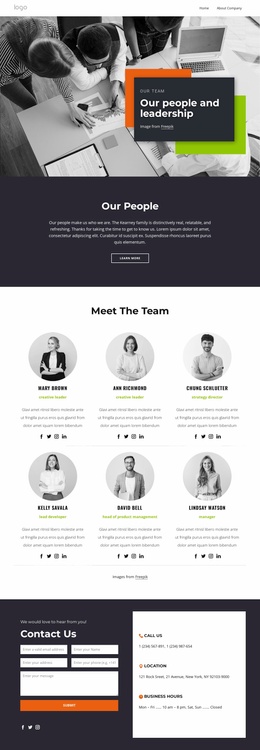
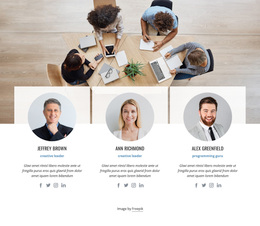
The block combines a centered team heading with three equal professional profiles rather than using a single large portrait or an uneven list. Mary Brown, Bob Greenfield, and Ann Richmond each receive the same visual space and the same content sequence: portrait, name, role, biography, and social links. This makes the design useful when a page needs to introduce several people without giving one profile greater visual weight than the others.
The grayscale portraits provide a shared image treatment, while the centered typography keeps the cards aligned as a group. Role labels distinguish the members’ professional positions, and the biography paragraphs add context beneath the short labels. Facebook, Twitter, Instagram, and LinkedIn icons complete each card with a repeated connection pattern that remains visually secondary to the people and their descriptions.
The bright green heading area adds contrast before the white card row begins, giving the section a recognizable entry point among other ready-made designs. This is a strong option for projects that need a compact team presentation with consistent repeated content, clear comparison between members, and enough visual structure to stand apart from a simple text list or single-column staff introduction.
Customize with Nicepage
Open this ready-made template in the Template Builder and customize it visually in the Nicepage editor. Replace demo content, edit page sections, and adapt the design to your project without rebuilding the template from scratch.
Edit Template Offline
2. Create a new page or select existing
3. Click Add new block, search for id 2120780 and click enter
Edit Template Online
Create Awesome Websites


Free Nicepage Builder
Keywords
Start With a Ready-Made Block Design
Choose a Section Instead of Building From Scratch
Use a ready-made block as a starting point when a page needs a particular content function or visual arrangement. Nicepage Block Designs provide section-level options for introductions, services, galleries, testimonials, contact forms, pricing, text layouts, and other common page needs.
Compare Different Layout Directions
Blocks with the same function can still differ in image emphasis, number of items, column structure, typography, spacing, card treatment, interaction, and overall visual weight. Compare those concrete characteristics before choosing the section that best matches the surrounding page.
Customize the Selected Block
After adding a block, replace demo content, adjust images and text, refine colors and typography, and adapt individual elements while preserving the section's useful structure. If another design fits the content better, return to the Block Designs collection and compare alternatives rather than forcing one section to solve a different function.
This workflow makes a Block ID a ready-made section choice: one reusable design option that can be selected and customized as part of a larger page.