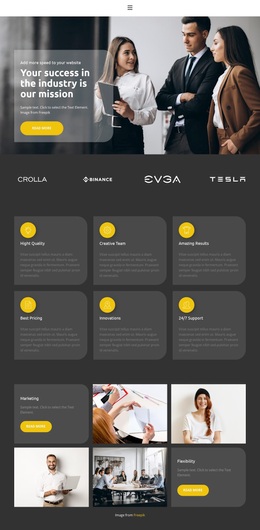
Long road to success Template



Edit Template Offline
2. Create new page and search for id 1604687
Edit Template Online
Create Awesome Websites


Free Nicepage Builder
Keywords
A Service Page That Balances Explanation, Proof, and Contact
The design brings together several content roles that are often separated across different starting layouts. Its opening split section uses a large image beside the question “Large payments volume or unique business model?” and a phone button, creating an immediate business-oriented entry point. Three service cards then make the primary offering visible through repeated content for App Development, Mobility Services, and Consulting. The three numbered process items add a second organizing idea, showing that the page can explain not only what is offered but also how the work is framed.
The choice becomes more distinctive through its supporting sections. Six FAQ items are arranged in two columns, giving common questions a defined place instead of leaving them as scattered copy. A blue company-information band, ten-image gallery, and three testimonial-style cards introduce changes in visual density and content type. The gallery can support projects that need imagery, while the testimonial structure can be replaced with verified statements or other appropriate proof. Demo names and text remain structural evidence only.
Near the end, the page combines a company introduction, direct phone contact, and an appointment form. That coverage makes the design a useful option for a project that needs services, process explanation, questions, visual presentation, and a clear communication area in one page. Its mixed business, beauty, and lifestyle references should be narrowed and rewritten to match the final confirmed subject.
Customize with Nicepage
Open this ready-made template in the Template Builder and customize it visually in the Nicepage editor. Replace demo content, edit page sections, and adapt the design to your project without rebuilding the template from scratch.
Start With a Ready-Made Template
Choose a Design for a New Page
Use a ready-made template as a starting point instead of creating every page from a blank canvas. When adding a new page in Nicepage, browse available designs, compare different layouts, and choose an option that already fits the general purpose and visual direction of your project.
Browse Different Page Designs
Explore Page Designs using search, thematic categories, Design Sets, and full-page previews. The collection includes layouts for different subjects and page purposes, making it easier to compare alternatives before selecting a design to customize.
Customize the Selected Template
After choosing a design, create the page and continue editing it visually in Nicepage. Replace the demo content, adjust images, typography, colors, sections, and other elements, and adapt the ready-made layout to your own content instead of rebuilding the design from the beginning.
Explore More Design Directions
If the first option does not match your project closely enough, return to the design collection and compare other templates before committing to a layout. This makes the template library useful not only for faster page creation, but also for exploring different visual approaches and finding a suitable starting point for a new project.
This workflow gives you access to a broad collection of ready-made designs that can be selected, compared, and customized according to the needs of each new page or project.